Last Updated on September 17, 2026 by Lydia — Salles & Co. Digital
Disclosure: This post (EverWebinar Review) contains affiliate links. If you sign up through them, we may earn a commission at no additional cost to you. This never changes what we tell you.
TL;DR
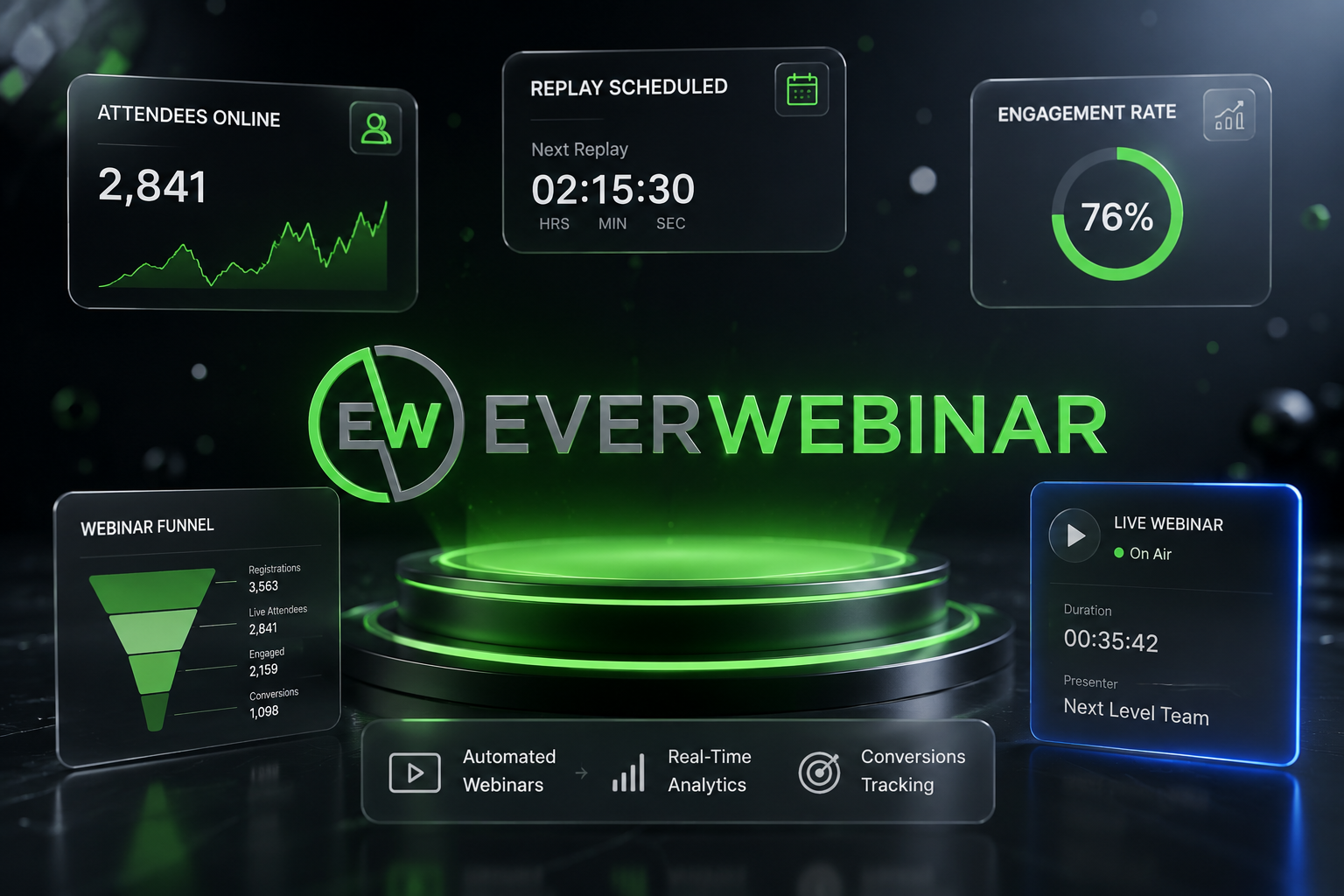
EverWebinar takes a webinar you’ve already proven works and lets it run on a schedule, without you sitting behind a laptop every time. It’s not a tool for creating your pitch — it’s the automation layer that scales it. If you’re mapping out where a tool like this fits inside a bigger AI-driven sales funnel, this review breaks down exactly that.
What Is EverWebinar, Really?
EverWebinar is an automated webinar platform from Genesis Digital — the same company behind WebinarJam. The core idea is simple: you record a presentation once, and EverWebinar replays it on a schedule while simulating the feel of a live event. Chat messages appear at scheduled moments, attendee counters move, and offers pop up at the exact timestamp where they worked when you ran the session live.
It doesn’t host video natively — it streams from YouTube or Vimeo — and it doesn’t help you write or test a webinar script. What it does is take a session that already converts and remove the one constraint that stops most creators from running it more often: their own calendar.
Inside a modern AI online business stack, that’s a very specific job. It’s not top-of-funnel content, and it’s not the AI tool doing your outreach or writing your ads. It’s the bottom-of-funnel closer — the piece that takes warm traffic and walks it through a proven pitch, 24/7, without a human clicking “go live.”
A Familiar Scenario
Say you’re a coach who’s run the same 75-minute webinar pitch a dozen times live. You’ve tightened the script, you know where people drop off, and you know roughly what percentage of attendees buy. The content isn’t the problem anymore — your calendar is. Every session means blocking out 90 minutes, showing up on time, and hoping enough people register for that specific slot.
This is the exact situation EverWebinar was built for. You take that same recording, set it on a schedule (or trigger it the moment someone registers), and let it run in the background while you focus on driving more traffic into the top of the funnel instead of repeating the same pitch every week.

How It Actually Works
You import a recording. Usually a session you already ran live through WebinarJam, hosted externally on YouTube or Vimeo since EverWebinar doesn’t host video itself. If you don’t already have a recording, this is the point where the tool stops helping — EverWebinar assumes the pitch exists and works; it won’t record it for you or suggest edits based on drop-off points.
You build your pages. Registration and thank-you pages come with a built-in builder, or you can connect pages from your existing funnel.
You choose a schedule. Recurring time slots run at fixed times you set in advance (e.g., “every day at 11am and 7pm”), which works well for evergreen traffic. Just-in-time sessions start shortly after someone registers — closer to a live feel, and often the better choice for cold traffic that doesn’t want to wait hours for the next slot. On-demand replays let visitors start watching immediately, trading the “live” illusion entirely for convenience, which fits better when the CTA matters more than the atmosphere.
You layer in engagement. Simulated chat, dynamic attendee counters, polls, and timed offer overlays synced to specific moments in the recording. The chat messages and offer timestamps are set manually based on what worked during the original live run — so if attendees asked a specific question at minute 40 last time, that same question (and your answer) can reappear at minute 40 in every automated replay.
Follow-up runs itself. Built-in email and SMS reminders fire before and after each session automatically.
Who This Actually Makes Sense For
- Course creators and coaches who already have a webinar pitch that converts and need to stop being the bottleneck for delivering it
- Anyone running a multi-stage funnel who needs the bottom-of-funnel automation piece specifically — not a discovery or awareness tool
- Businesses selling to a global audience, since automated scheduling removes the time-zone objection that quietly kills live webinar attendance
- Teams already on WebinarJam who want to extend a session that worked live into something that keeps converting after the launch window closes
Who Should Probably Wait
- If you don’t have a tested webinar script yet. EverWebinar automates whatever you feed it — including a pitch that hasn’t been proven. Running an untested session on autopilot just scales a mediocre conversion rate faster.
- If you need native video hosting. Streaming from YouTube or Vimeo adds a dependency, and it’s one more thing that can go wrong right before a launch.
- If you’re expecting a genuinely free trial. The trial requires a $1 charge and rolls into the full $199/month plan automatically if you don’t cancel in time. It’s low-cost, not no-cost.
- If you want live and automated webinars under one roof. EverWebinar is automation-only. Running real live sessions means pairing it with WebinarJam, which means two subscriptions instead of one.
Pros and Cons at a Glance
What Works Well
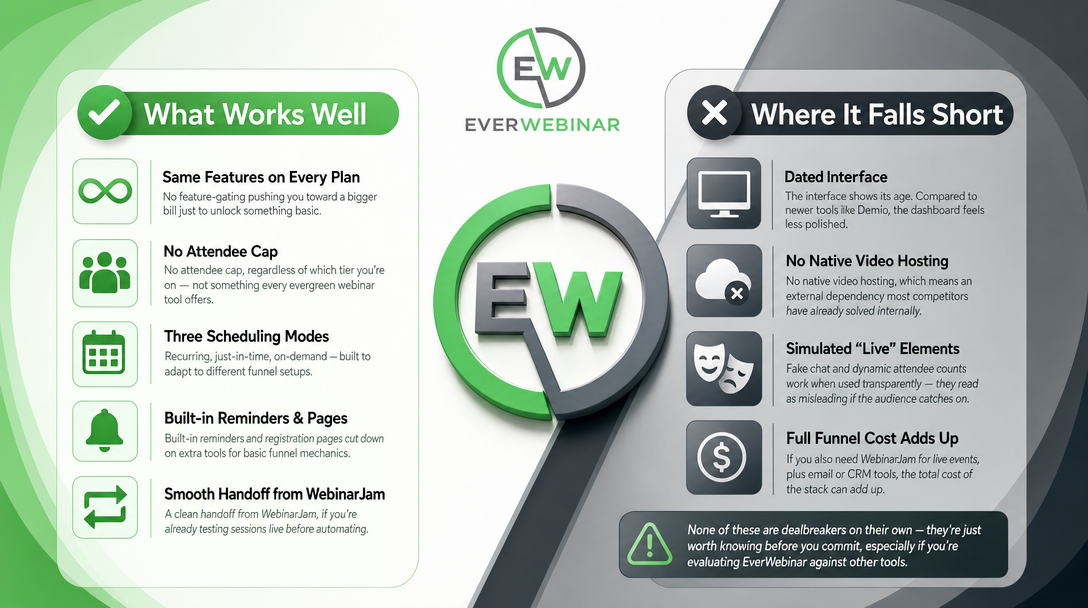
EverWebinar keeps every plan on equal footing feature-wise — there’s no gating pushing you toward a bigger bill just to unlock something basic, and the attendee cap doesn’t exist regardless of tier, which is rare among evergreen webinar tools.
The three scheduling modes (recurring, just-in-time, on-demand) adapt to different funnel setups instead of forcing a single workflow. Combined with built-in reminders and registration pages, this cuts down on the number of extra tools needed to stitch together basic funnel mechanics. If you’re already running live sessions in WebinarJam before automating them, the handoff between the two is clean.
Where It Falls Short
The interface shows its age. Several independent comparisons point to tools like Demio as more polished, which can mean a minor learning curve here. There’s also no native video hosting, so you’re relying on an external dependency that most competitors have already solved internally.
The simulated “live” elements — fake chat, dynamic attendee counts — need honest calibration. They support engagement when used transparently, but read as misleading if an audience catches on that the event isn’t actually live. And the full funnel cost adds up: if you also need WebinarJam for genuine live events plus separate email or CRM tools, EverWebinar’s sticker price alone doesn’t reflect the real cost of the stack.
None of these are dealbreakers on their own — they’re just worth knowing before you commit, especially if you’re evaluating EverWebinar against other pieces in a broader AI tools comparison.
Pricing and What You Actually Get
EverWebinar keeps pricing straightforward — one feature set, three ways to pay:
| Plan | What You Pay | Effective Monthly Rate |
|---|---|---|
| 14-Day Trial | $1 upfront | Converts to $199/mo unless cancelled |
| Monthly | $199/month | $199/mo |
| Annual | $1,188 billed once/year | ~$99/mo |
| Biennial | $1,896 billed once/2 years | ~$79/mo |
Every plan — trial included — comes with the complete feature set: unlimited attendees, all three scheduling modes, chat simulation, timed offers and CTAs, the registration page builder, email and SMS reminders, polls, dynamic attendee counters, paid webinar support, and analytics.
The one detail worth flagging clearly: the trial isn’t free. It’s $1 for 14 days, and it auto-converts to the full monthly plan if you don’t cancel before the window closes. Worth setting a calendar reminder if you’re just testing the waters.
How It Stacks Up Against Alternatives
Against WebinarJam (same parent company): WebinarJam handles the live event, EverWebinar handles the automated replay afterward. They’re designed as a pair rather than as competitors — most operators who take webinars seriously end up running both, using WebinarJam to prove a pitch works before automating it here.
Against Demio: Demio is live-first, with native video hosting and lighter automation gated to its higher-priced plans. EverWebinar goes the opposite direction — automation-first, but dependent on external video hosting and requiring WebinarJam if you also want a real live option. Neither tool unifies both under one subscription; that trade-off is baked into how each product was built, not a flaw specific to one over the other.
Against all-in-one platforms like EasyWebinar: some newer tools bundle live, automated, and in-webinar monetization into a single dashboard, which can simplify things if you’d rather avoid managing two separate subscriptions. For creators already comfortable running WebinarJam and EverWebinar as a pair, the specialization each one brings can be an advantage rather than added complexity.
For a wider look at how EverWebinar fits alongside other automation and AI tools in a modern funnel, our comparison of AI tools for online business walks through where each piece earns its place.
Final Verdict
EverWebinar does exactly what it says: it turns a webinar that already converts into something that keeps running without you. It’s not going to write your pitch or fix a webinar that doesn’t sell — it scales the one that already does, across time zones, on a schedule, without needing you live every single time.
If you’re building the bottom-of-funnel automation piece inside a larger AI-driven sales strategy, it earns its spot cleanly. If you’re still figuring out whether your webinar actually converts, or you want one platform that does live and automated equally well, it’s worth weighing those trade-offs before you commit.
FAQ
Does EverWebinar host video, or do I need something else?
EverWebinar streams from YouTube or Vimeo rather than hosting video natively. That means you’ll need one of those platforms set up alongside it, which adds a small extra setup step.
Can I run a genuinely live webinar with EverWebinar?
No — it’s automation-only. For real live sessions, you’d pair it with WebinarJam, built by the same company specifically to hand recordings off to EverWebinar afterward.
Is the 14-day trial actually free?
Not quite — it’s $1 upfront, and it automatically rolls into the $199/month plan if you don’t cancel before the trial ends. Cheap to test, but not free.
Who shouldn’t buy EverWebinar right now?
Anyone without a webinar script that’s already proven to convert should hold off — automating an untested pitch just scales whatever conversion rate it currently has, good or bad. It’s also not the right fit if you want one platform handling both live and automated webinars natively.
How does EverWebinar fit into a bigger AI-powered sales funnel?
It sits at the bottom of the funnel, converting warm traffic through a repeatable, proven presentation without needing a live presenter each time. It works best when paired with earlier funnel stages that already built and warmed up the audience.
Does it make sense to buy EverWebinar if I already have WebinarJam?
Yes, if you’ve already validated a pitch live — EverWebinar lets you extend that same recording into an always-on asset instead of repeating the live session indefinitely. The two tools are built to complement each other, not duplicate the same job.
About the Author
Lydia — Salles & Co. Digital
Lydia writes about AI-powered tools and premium digital products for creators building online businesses, with a focus on how each individual tool fits into a bigger sales funnel — not just how it looks on its own.
Some links may be affiliate links, meaning she may earn a commission at no additional cost to you.