Last Updated on September 17, 2026 by Lydia — Salles & Co. Digital
Affiliate Disclosure: This article contains an affiliate link. If you sign up through the link below, we may earn a commission at no extra cost to you. We only recommend tools we’ve personally tested.
Quick Answer
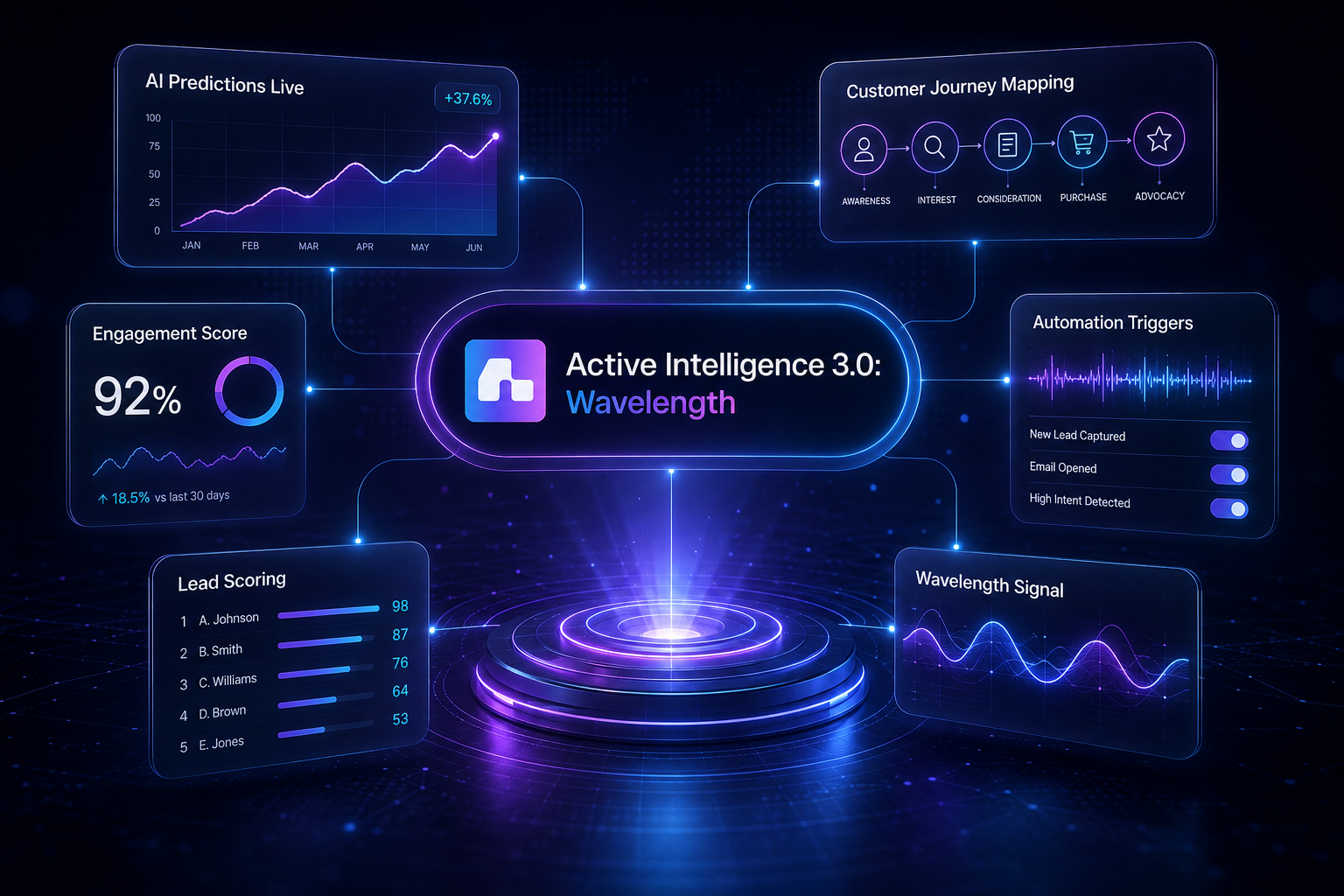
Active Intelligence 3.0: Wavelength is ActiveCampaign’s AI system built around your specific account context, not a generic chatbot layered on top of email marketing. It combines Adaptive Memory, Content Performance, Benchmarks across ActiveCampaign, and Proactive Drafts and Ideas into one connected system. Instead of answering prompts in isolation, it references what’s actually configured in your account — your lists, your automations, your send history — when it generates suggestions.
Most AI marketing tools promise to write faster. This one is positioned differently: it’s supposed to notice things and suggest actions on its own, based on your account, without you prompting it first. That’s a bigger claim, so we wanted to see exactly how it delivers on that promise.
What Changed From Active Intelligence 2.8
Active Intelligence 2.8 didn’t disappear — it’s now the fallback layer sitting underneath Active Intelligence 3.0: Wavelength. So it was swapped out, not turned off. But the workflow underneath changed completely. With 2.8, the AI only moved when you did: you opened a prompt box, typed what you wanted, and got a response back. Nothing happened without that first keystroke.
Wavelength removes that starting requirement for the four features covered here. It pulls from what’s already sitting in your account — your list names, your automation structure, your send history, your content’s actual engagement numbers — and uses that as the input instead of waiting for a prompt. You get suggestions built around structures that already exist in your account — not a blank draft to adapt from scratch.
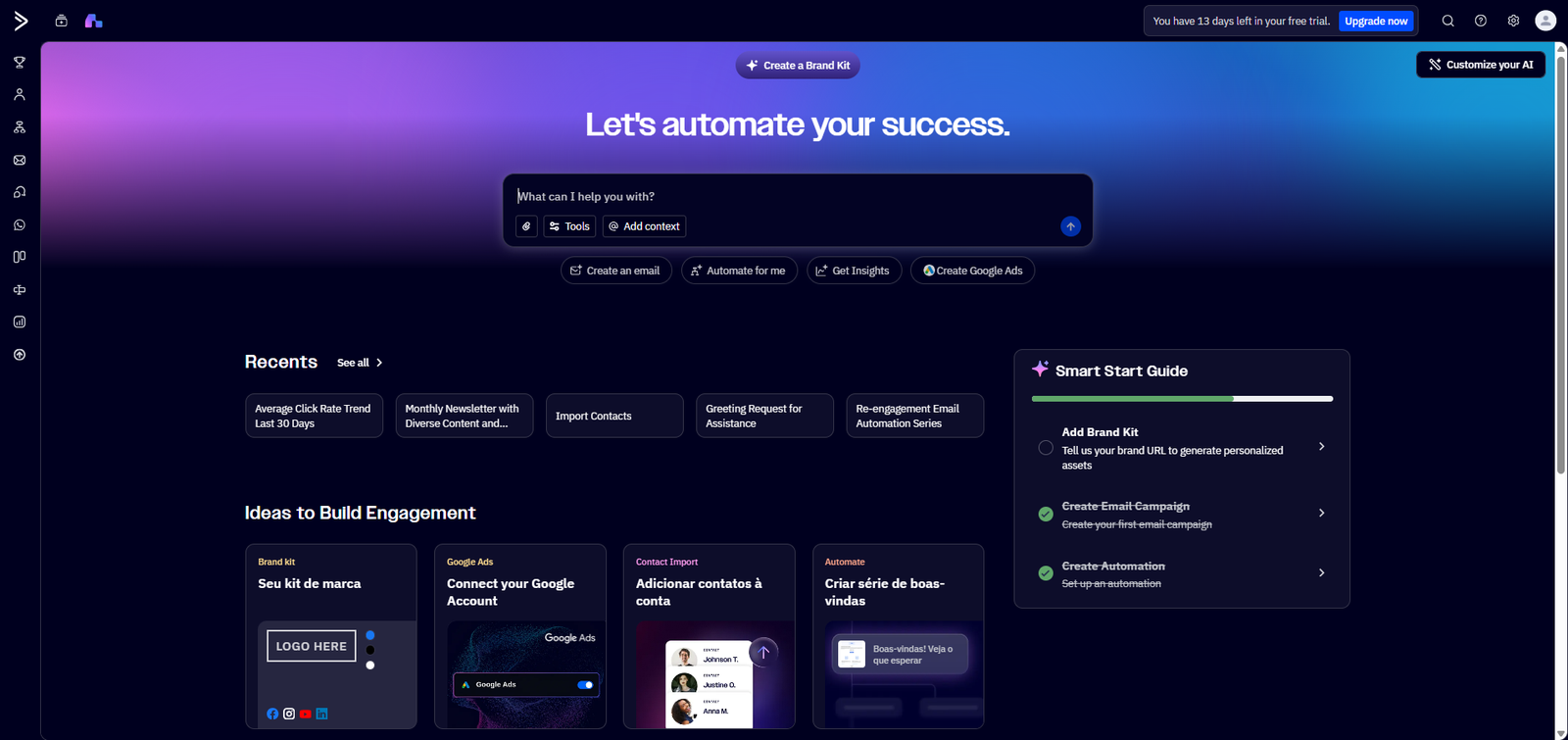
Adaptive Memory: Referencing What’s Already in Your Account
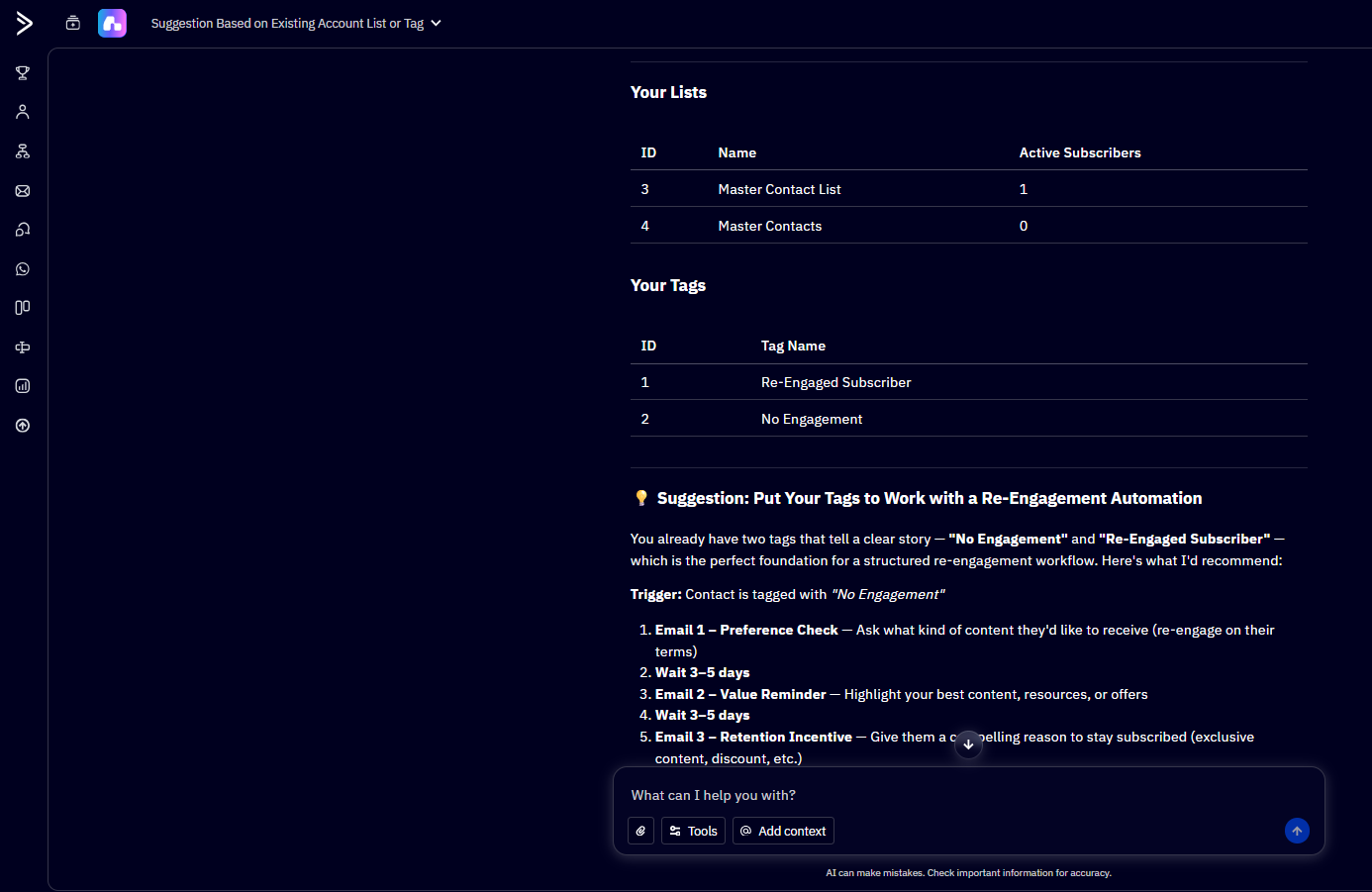
Adaptive Memory is the mechanism that lets suggestions reference your account’s own setup — existing lists, tags, segments, and automation structure — instead of generating generic examples from scratch every time. In practice, this means when you’re building a new campaign or automation, the AI-generated suggestions point to things that already exist in your account rather than placeholder content you’d have to manually adapt.
The distinction from a standard AI assistant is straightforward: a generic tool doesn’t know your list is called “Q3 Webinar Signups” or that you tag customers by lifecycle stage. Adaptive Memory pulls that context in automatically, which changes what “AI-generated” actually means here — it’s referencing your account, not producing content in a vacuum.
Content Performance: One View Across Campaigns
Content Performance consolidates engagement data across campaigns into a single dashboard, instead of requiring you to open each campaign report separately to compare performance. For anyone managing multiple active campaigns at once — which is the norm for small marketing teams running several segments or offers simultaneously — checking each one individually eats time that adds up fast.
This is also where the AI layer becomes relevant beyond just reporting: because the system is pulling performance data account-wide, it’s positioned to reference which content types and formats have engaged your specific audience when it later drafts suggestions — connecting back to Adaptive Memory rather than functioning as an isolated analytics tab.
Benchmarks Across ActiveCampaign: Context Beyond Your Own Numbers
Benchmarks across ActiveCampaign compares your account’s metrics against broader activity across the ActiveCampaign platform, rather than only showing your own historical trend in isolation. That’s a meaningful distinction: your own open rate trending flat over three months could mean very different things depending on whether the entire platform’s benchmark is also flat, or whether it’s a signal specific to your account.
For solopreneurs and small teams without a large internal dataset to compare against, this kind of external reference point is genuinely useful — you don’t have five years of your own campaign history to know what “normal” looks like, so the benchmark fills that gap.
Proactive Drafts and Ideas: Suggestions Without a Prompt
This is the feature that most directly tests the “proactive, not faster” positioning. Instead of requiring you to open a chat window and type a request, Proactive Drafts and Ideas surfaces draft suggestions in a dedicated area based on account activity — new automations you’ve built, gaps in your content calendar, or segments that haven’t received a recent send.
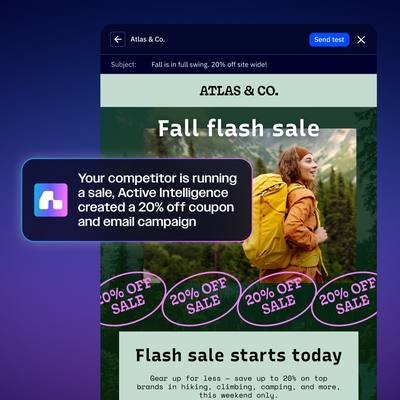
The functional difference from a chatbot is who initiates. A chatbot waits for you. This initiates based on what it observes in your account setup — closer to a colleague flagging “hey, this segment hasn’t gotten anything in three weeks” than a tool that only responds when asked.
How This Fits Together
None of these four features work in true isolation — that’s the actual point of “account-based AI” as a design philosophy. Adaptive Memory feeds context into Proactive Drafts and Ideas. Content Performance data informs what kind of content those drafts suggest. Benchmarks across ActiveCampaign gives you an external reference point for judging whether your account-specific numbers are actually good or just familiar. The system is built as one connected layer, not four separate tools sharing a menu.
That’s also the honest limitation worth naming here: these features are more valuable the more account history you have. An account with months of campaigns, automations, and sends gives Adaptive Memory and Benchmarks more to work with. A newer setup will see the interface and understand what each feature does, but the suggestions themselves will be thinner until there’s more activity to draw from.
These four features cover personalization and reporting inside Wavelength. For how the platform catches problems before you do — automation failures, brand drift — see our Automation Health and Brand Monitoring review. For how Wavelength turns a document into a full campaign structure, see our Unified Campaign Agent review.
Step-by-Step: Getting the Most From This Setup
- Confirm Active Intelligence 3.0: Wavelength is active under your account’s AI settings before exploring individual features.
- Check Adaptive Memory’s suggestions against your actual list and tag structure — if suggestions look generic rather than account-specific, your account may need more activity first.
- Open Content Performance and identify which content type is actually driving engagement for your audience, rather than assuming based on gut feel.
- Compare your numbers in Benchmarks across ActiveCampaign against platform-wide activity before deciding whether a metric is a real problem or just normal variation.
- Give Proactive Drafts and Ideas a few weeks of account activity before judging whether its suggestions are relevant — it improves with usage, not on day one.
Who This Is For (and Who It Isn’t)
This setup makes the most sense for solopreneurs, creators, and small teams who already have some campaign and automation history in ActiveCampaign and want the platform to start surfacing suggestions rather than manually digging through reports themselves. It’s also relevant if you’ve been comparing your metrics against generic industry benchmarks you found elsewhere and want a reference point specific to the platform you’re actually using.
It’s less useful if you’re brand-new to ActiveCampaign with no campaign history yet, or if you’re looking for a fast content-generation tool rather than a system that learns from account activity over time. If speed is your primary need, a simpler prompt-based tool will get you there faster on day one — this is a different kind of value — one that compounds with use.
Limitations Worth Naming
The features here depend on account activity to be genuinely useful — that’s a real trade-off, not a minor caveat. If you’re evaluating this before committing, know that the strongest signal you’ll get is from an account with real history, not from browsing the interface alone. We also didn’t find pricing or credit details surfaced inside these specific features, which is worth checking separately if that factors into your decision.
Final Verdict
Active Intelligence 3.0: Wavelength isn’t trying to be the fastest way to write an email — that’s not the game it’s playing. It gets sharper the more you actually use ActiveCampaign, which means the real test isn’t the first week, it’s the third month. For a small team already living inside ActiveCampaign, that’s a reasonable trade: less flash upfront, more relevance over time.
If your account already has campaigns and automations running, this is worth testing directly rather than judging from screenshots alone.
FAQ
Is Active Intelligence 3.0: Wavelength the same as a chatbot inside ActiveCampaign?
No. It surfaces suggestions proactively based on account activity rather than requiring you to prompt it each time you want output.
What happened to Active Intelligence 2.8?
It was replaced by Active Intelligence 3.0: Wavelength and now serves as the base fallback experience.
Does this predict what my customers will buy?
No — these features reference account activity and platform-wide benchmarks. They don’t forecast individual customer intent.
Do I need a lot of campaign history for this to be useful?
Several of these features, particularly Adaptive Memory and Benchmarks, are more useful the more account activity you already have.
How is this different from comparing my metrics to generic industry averages?
Benchmarks across ActiveCampaign compares you specifically against activity on the platform you’re using, rather than a broad industry figure that may not reflect ActiveCampaign users specifically.
About the Author
Lydia — Salles & Co. Digital
Lydia writes about ActiveCampaign’s AI features from a practical standpoint, breaking down how tools like Adaptive Memory and Benchmarks actually behave inside real accounts — and what to expect as your account history builds up. Learn more
Official Source: ActiveCampaign — Active Intelligence 3.0: Wavelength product documentation, accessed 2026.