Last Updated on September 17, 2026 by Lydia — Salles & Co. Digital
Disclosure: This post (Active Intelligence 3.0: Wavelength Review) contains an affiliate link. If you sign up for ActiveCampaign through this link, we may earn a commission at no additional cost to you.
TL;DR
ActiveCampaign is betting that you’ll upload a rough brief and get a real campaign back — not just suggestions. That’s the promise behind Wavelength’s Unified Campaign Agent and MCP Connectivity, and it’s worth pressure-testing before you build your workflow around it.. For solopreneurs and small teams already on ActiveCampaign, it’s worth testing directly rather than taking on faith.
What Active Intelligence 3.0: Wavelength Is
Active Intelligence 3.0: Wavelength dropped in August 2026, and it’s the first Active Intelligence update to get its own name instead of just a version number. That naming choice tells you something: ActiveCampaign isn’t treating this as a minor patch. According to ActiveCampaign’s own positioning, Wavelength is built on account history, automation patterns, performance data, and brand voice, with the stated goal of surfacing the right action before a marketer goes looking for it.
This review focuses on one specific slice of that promise: can the AI take a document or a prompt and produce a structured campaign, and can it connect to tools outside ActiveCampaign to do so? That’s the territory covered by the Unified Campaign Agent and MCP Connectivity — arguably the most agent-like part of the whole release.
(For how Wavelength personalizes content and surfaces external signals, see our full Active Intelligence 3.0: Wavelength review. For how it monitors and controls automations already running, see our Automation Health and Brand Monitoring review.)
The Scenario: A Solo Marketer With a Brief and No Time to Build
Say you’re running a launch and all you’ve got is a half-finished Google Doc — some positioning notes, a couple of audience bullet points, nothing polished. Normally that means hours in the campaign builder before anything goes out. Normally, turning that into an actual email campaign means opening ActiveCampaign, building segments manually, drafting copy, setting up automation logic, and hoping nothing breaks.
The pitch behind the Unified Campaign Agent is that this same person can instead upload that document and get a working campaign structure back — without touching the builder step by step. That’s the specific claim this review tests.
How the Unified Campaign Agent Works
Based on ActiveCampaign’s own release notes, the Unified Campaign Agent takes account context — automation history, prior performance, brand voice — and combines it with an uploaded document or written brief to propose a campaign structure. The stated advantage isn’t speed for its own sake; it’s that the recommendation is built from your account’s patterns rather than a generic template applied to every user.
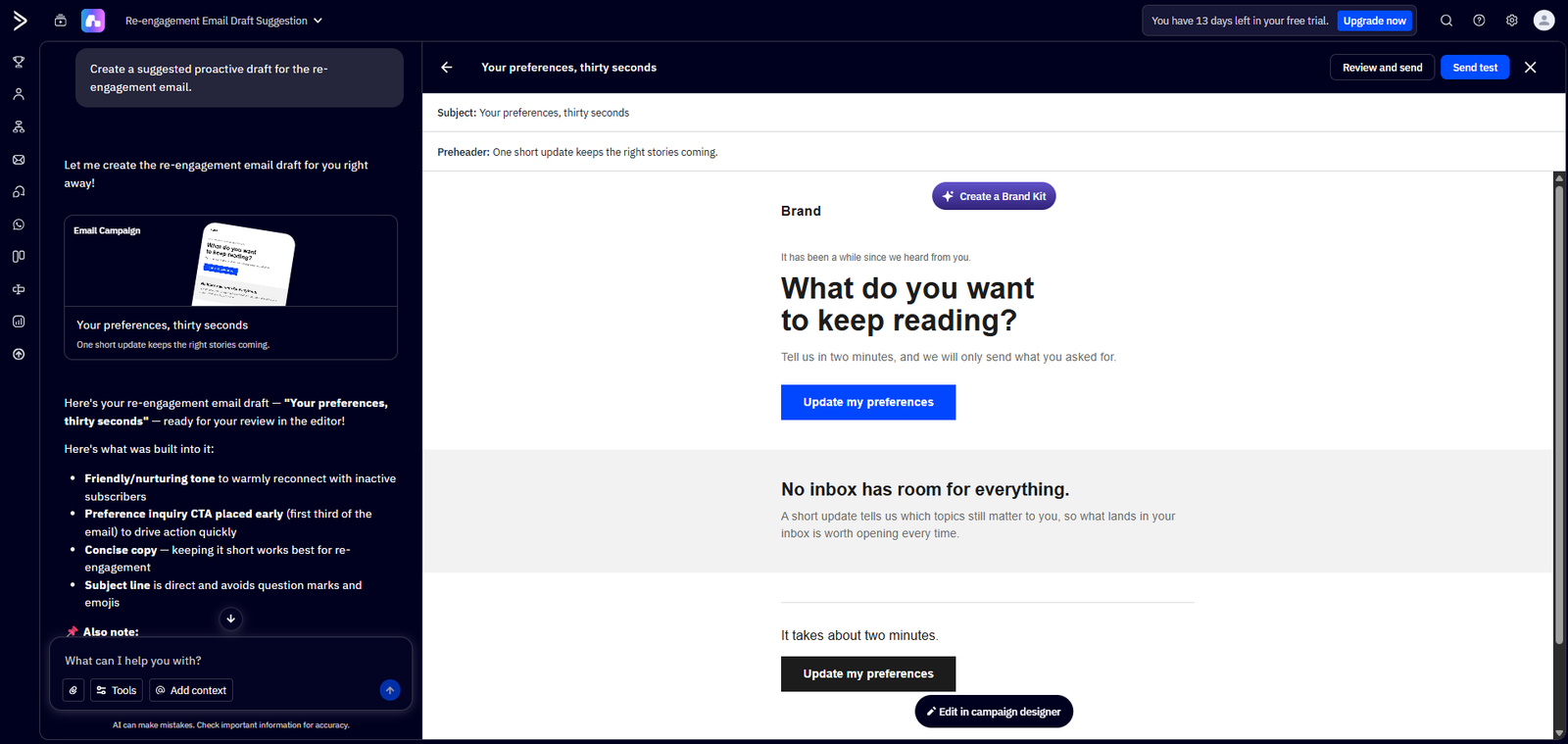
In practice, that means the output should reflect what has actually worked in your account before, not just industry-standard best practices. Whether that holds up depends heavily on how much usable history the account already has — a brand-new account with little automation data has less for the agent to work from than an established one.
If you’re evaluating whether your account has enough history to make Wavelength’s proactive features worthwhile, start a trial here and check your automation activity before committing.
MCP Connectivity: Extending the Agent Beyond ActiveCampaign
MCP Connectivity is the feature that pushes Wavelength closer to an actual “agent” rather than an assistant confined inside one tool. Conceptually, it lets the Unified Campaign Agent pull in or act on information from outside ActiveCampaign’s own data — extending its context beyond what happens purely inside email and automation history.
One thing worth being upfront about: ActiveCampaign hasn’t published a full list of every integration MCP Connectivity supports. This review
sticks to what’s confirmed — what the feature is designed to do — instead of guessing at specific tool compatibility. Treat MCP Connectivity
as an emerging capability to test against your specific stack rather than a fully mapped integration catalog. If your workflow depends on a particular external tool, verify direct compatibility before assuming it’s covered.
AI-Generated Images: Filling the Visual Gap in the Draft
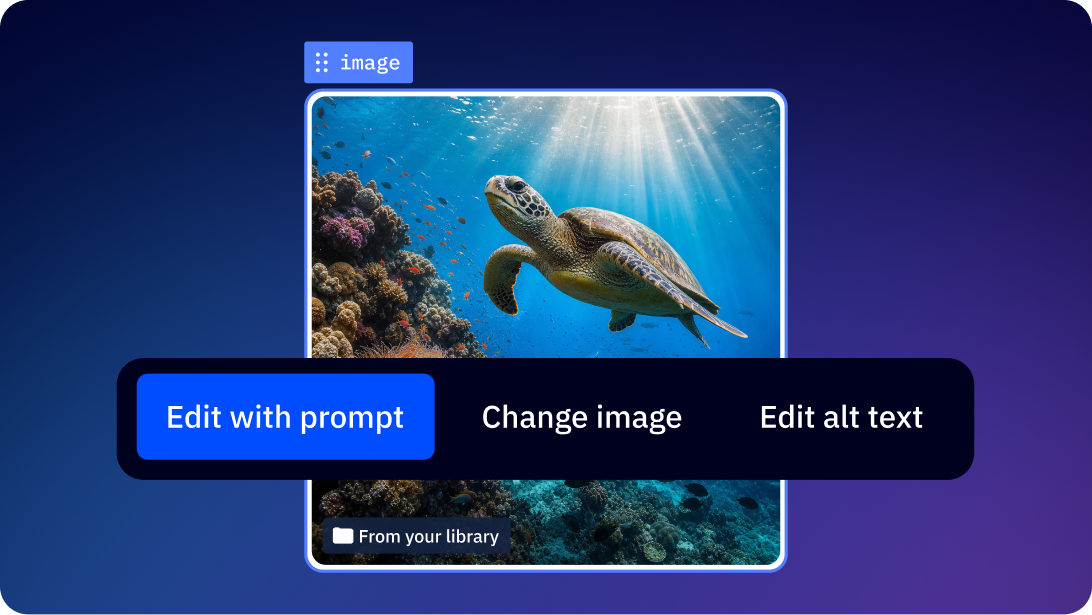
The Unified Campaign Agent doesn’t stop at copy. Alongside the campaign structure and email drafts, it also surfaces AI-Generated Images tied to the brief you uploaded — a way to fill the visual gap in a first draft without opening a separate design tool.
This matters for the same reason the copy draft matters: it’s one less manual step between brief and something you can actually send.
The image still needs a human look before publishing — brand fit, product accuracy, whether it fits the tone you’re going for — but having a starting point generated in context, rather than picked from a generic stock library, is a meaningfully different starting point than what most campaign builders offer.
External Intelligence: The Context Layer Behind Both Features
External Intelligence rounds out this picture as the mechanism that feeds outside signals — market or industry-level information — into the account’s context, alongside internal history. It’s not the centerpiece of this review, but it’s relevant because it’s the layer that likely informs what the Unified Campaign Agent proposes and what MCP Connectivity has access to when reaching outside the platform. Documentation on this feature remains higher-level, so this review treats it as supporting context rather than a fully independent claim.
Who This Is For
- Solopreneurs or small teams already running campaigns in ActiveCampaign who want to reduce the manual setup step between “idea” and “live campaign”
- Marketers with enough existing automation history in their account for the agent to have real patterns to draw from
- Teams evaluating whether AI-assisted campaign creation can handle a first draft they then refine, rather than expecting a finished, unreviewed output
Who This Is NOT For
- Brand-new ActiveCampaign accounts with little to no automation history — the Unified Campaign Agent’s value depends on account-specific patterns; a fresh account gives it very little to work with, so results may feel closer to generic than personalized.
- Teams needing a fully mapped, guaranteed integration list before signing up — if a specific external tool must be confirmed compatible with MCP Connectivity in advance, this feature’s current documentation doesn’t provide that level of detail.
- Anyone expecting a document upload to produce a campaign ready to send without review — the agent produces a structure and drafts; a human review step before publishing is a reasonable expectation, not a shortcut around it.
What Stands Out (Pros)
- Account-specific input, not a generic template. The Unified Campaign Agent’s proposals are explicitly built from the account’s own history rather than a one-size-fits-all script.
- Reduces the manual assembly step. Turning a brief into a structured starting point removes a meaningful chunk of the campaign-building process, even if refinement is still needed.
- Extends beyond the platform’s own walls. MCP Connectivity represents a genuine attempt to make the AI agent aware of context outside ActiveCampaign’s native data — a step beyond most in-platform AI assistants.
Real Limitations (Cons)
- Output quality depends on input quality. A vague or thin brief will likely produce a vague or thin campaign structure — the agent works from what it’s given, not from what the marketer meant to say.
- MCP Connectivity’s integration scope isn’t fully documented publicly. Teams with specific external tool dependencies need to verify compatibility directly rather than assume broad coverage.
- New accounts see less benefit. Because the agent leans on account history, the proactive advantage described in ActiveCampaign’s own positioning is weaker for accounts without an established pattern of automations and performance data.
How It Compares
Most AI marketing tools either personalize content or monitor what’s already running — few try to take a document and both build and connect it to outside tools in one move. That’s the harder problem to solve, and it shows: this feature is more ambitious, but also less battle-tested than the narrower stuff. Other marketing platforms offer AI drafting assistance, but fewer combine account-specific context with external connectivity in the same step. The trade-off is that this more ambitious scope also means less mature, less exhaustively documented integration behavior compared to more established, narrower AI features.
Final Verdict
Active Intelligence 3.0: Wavelength’s Unified Campaign Agent and MCP Connectivity test a real and specific promise: campaign creation that starts from a document instead of a blank builder screen, connected to tools beyond ActiveCampaign itself. If your account has some runway — real automation history, real send data — this genuinely cuts setup time. If you just signed up last week, don’t expect magic. And if MCP integration with a specific tool is a dealbreaker for you, confirm it works before you build a launch around it.
Frequently Asked Questions
Does the Unified Campaign Agent work well for a brand-new ActiveCampaign account?
Less well than for an established one. The agent draws on account history and automation patterns, so a new account with little data gives it less to work from, often producing more generic suggestions.
What kind of document can I upload to the Unified Campaign Agent?
ActiveCampaign’s release notes describe uploading a document or brief as the input method, but exact file format limits aren’t detailed in public materials — confirm current supported formats directly in your account.
Is MCP Connectivity limited to specific third-party tools?
ActiveCampaign’s public documentation describes the capability at a functional level without listing every supported integration. If a specific external tool is essential to your workflow, verify direct compatibility before relying on it.
Can I publish a campaign the Unified Campaign Agent generates without reviewing it first?
You can, but it isn’t the recommended use. Treat the output as a strong first draft built from your account context, not a finished, ready-to-send campaign.
How is this different from Wavelength’s content personalization or automation monitoring features?
This review covers the execution layer — turning input into a structured, connected campaign. Personalization (adaptive memory, content performance) and monitoring (automation health, brand monitoring) are separate layers covered in companion reviews.
Is Active Intelligence 3.0: Wavelength available on all ActiveCampaign plans?
Feature access and AI credit allocation vary by plan tier. Check current plan details during signup to confirm what’s included at your level.
About the Author
Lydia — Salles & Co. Digital
Lydia writes about digital products, AI tools, and premium programs for solopreneurs building lean, automated marketing systems — with a focus on what actually holds up beyond the sales page.
Some links may be affiliate links, meaning she may earn a commission at no additional cost to you.