Last Updated on September 17, 2026 by Lydia — Salles & Co. Digital
Disclosure: This Windsor.ai review contains affiliate links. If you sign up through them, we may earn a commission at no additional cost to you. All opinions are based on independent research and publicly available product information.
TL;DR
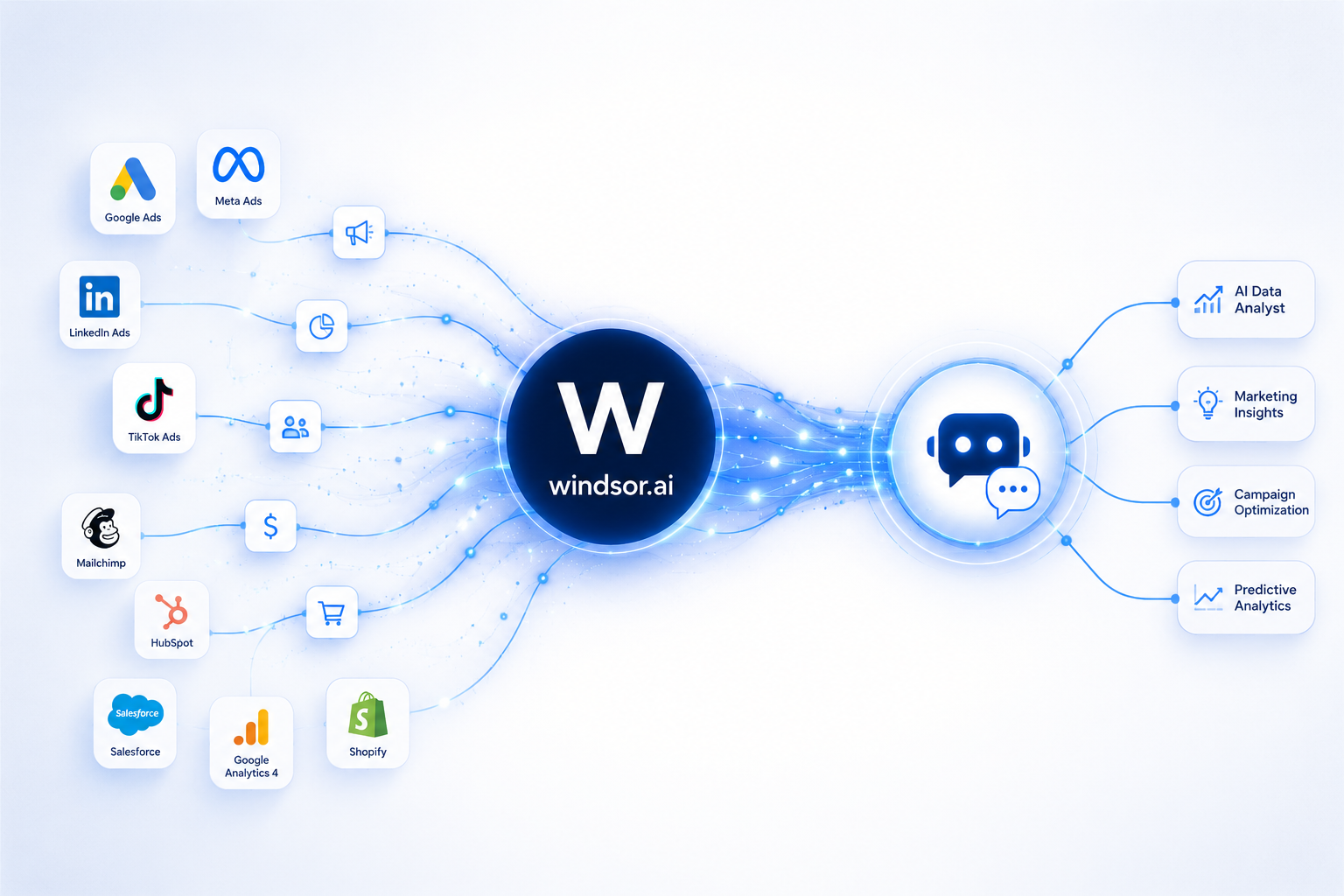
Windsor.ai isn’t an AI tool — it’s the data pipeline that feeds your AI tools. It connects 325+ marketing, sales, and ad platforms into a unified dataset, then pipes that data directly into Claude, ChatGPT, or your BI stack via MCP. If fragmented data is blocking your AI workflows, this is a low-risk way to test it.
What Is Windsor.ai?
Windsor.ai is a no-code data integration (ETL/ELT) platform that extracts, normalizes, and centralizes data from over 325 platforms — Google Ads, Meta Ads, GA4, HubSpot, Salesforce, Shopify, LinkedIn Ads, and hundreds more — into a single, analytics-ready dataset.
What sets it apart from a typical BI connector tool is its AI-first orientation. Windsor.ai runs a dedicated MCP (Model Context Protocol) server that lets you query your unified marketing data directly inside Claude, ChatGPT, Gemini, Cursor, and other MCP-compatible AI clients — using natural language instead of SQL or dashboard building.
This positions Windsor.ai as part of a broader shift in how AI-driven online businesses are structuring their tech stack: separating the AI interface (Claude, ChatGPT) from the AI data layer (Windsor.ai) that feeds it clean, structured information.
The Archetypal Scenario
Picture a small agency running paid campaigns across Google Ads, Meta, TikTok, and LinkedIn for multiple clients. Each platform reports differently — different metric definitions, different date ranges, different export formats. Every Monday, someone manually pulls CSVs, reconciles numbers in a spreadsheet, and builds a client report from scratch.
When that agency starts using Claude or ChatGPT to analyze campaign performance, the AI can only reason about what it’s given — and manually copy-pasting data defeats the purpose of using AI for speed. Windsor.ai exists specifically for this gap: it keeps the data synced and normalized in the background, so the AI assistant has real-time, structured numbers to work with the moment you ask a question.
How It Works
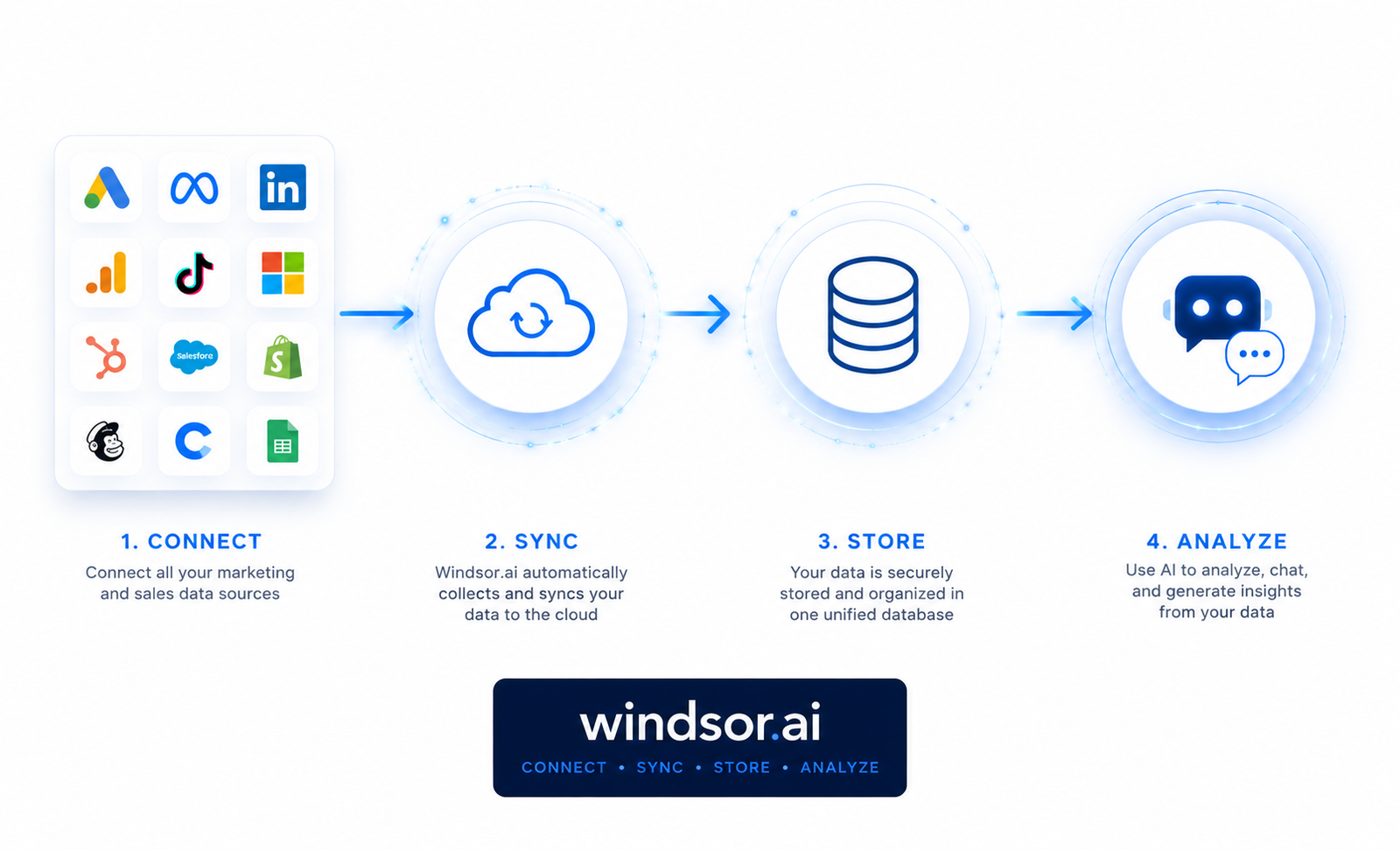
The setup follows four steps:
- Connect your sources — pick from 325+ native connectors (ad platforms, CRMs, e-commerce, analytics tools)
- Choose a destination — Google Sheets, BigQuery, Snowflake, Power BI, Tableau, Data Studio, or a direct AI connection
- Configure your data queries — select metrics, dimensions, and date ranges without writing code
- Sync and query — data refreshes automatically (daily, hourly, or every 15 minutes depending on plan), and you can query it through Claude or ChatGPT via the Windsor MCP server
The MCP setup itself uses OAuth 2.0 — no API key required for most clients — and takes a few minutes for someone comfortable with basic tool configuration. It’s not code-heavy, but it’s not entirely “install and forget” either.
If your business already relies on workflow automation, see how AI analytics fits into your broader stack for a wider view of where tools like this sit within an automated online business.
Who It’s For
- Agencies and marketers running campaigns across multiple platforms who need a single source of truth
- Teams already using Claude or ChatGPT for analysis who are tired of manually feeding data into prompts
- Businesses that want AI-generated insights (ROAS breakdowns, channel comparisons, trend spotting) without building custom dashboards
- Data-conscious operators who want flat-rate pricing instead of per-source, per-user fees common with competitors like Supermetrics
Who It’s NOT For
Windsor.ai is not for you if:
- You’re looking for an AI tool that generates content, copy, or creative assets — Windsor.ai has zero generative capability; it’s purely a data pipeline
- Your business runs on a single data source — the Free plan technically covers this, but you likely don’t need a dedicated integration platform at all
- You need enterprise-grade custom connector development or SLAs without moving to the top-tier Enterprise plan
- You want a fully hands-off setup with no configuration — connecting sources and setting up MCP still requires some initial technical comfort, even if no code is involved
Specific Pros
- 325+ native connectors covering ad platforms, CRMs, e-commerce, and analytics tools, all included on every paid plan (no premium connector upsells)
- Native MCP integration with Claude and ChatGPT, letting you query marketing data in natural language directly inside the AI chat interface
- Flat-rate, all-inclusive pricing — unlike competitors that charge separately per source, per destination, or per user, Windsor.ai bundles all connectors and destinations into each tier
- 30-day free trial with 10 sources — a genuinely low-risk way to test real data volume before committing to a paid plan
- Sync frequency scales with plan — up to 15-minute refreshes on higher tiers, useful for teams needing near-real-time reporting
Real Cons
- MAR-based pricing is less predictable than a flat fee. Each plan includes a fixed Monthly Active Rows allowance; exceeding it triggers overage charges (from $20 per extra million rows on Basic, down to $3 on Enterprise). Businesses with high data volume need to actively monitor usage to avoid surprise costs.
- The Basic plan ($19–23/month) only includes 3 data sources. For a business genuinely running multi-channel campaigns, that ceiling is reached quickly, pushing you toward the Standard plan ($99–118/month) for realistic use.
- MCP setup still requires minimal technical comfort. While no coding is involved, configuring OAuth for MCP clients or pasting JSON config into tools like Claude Desktop is a step beyond typical “connect and go” SaaS onboarding.
Pricing and What’s Included
| Plan | Monthly (Annual) | Data Sources | MAR Included | Sync Frequency |
|---|---|---|---|---|
| Free | $0 | 1 | 5M | Daily |
| Basic | $23 ($19) | 3 | 5M | Daily |
| Standard | $118 ($99) | 7 | 7.5M | Daily/Hourly |
| Plus | $299 ($249) | 10 | 10M | Daily/Hourly |
| Professional | $598 ($499) | 14 | 50M | Daily/Hourly/15-min |
| Enterprise | Custom | Up to 300 | 50M+ | Custom |
All paid plans include unlimited users, all connectors, and unlimited destinations — the differentiation between tiers comes down to number of data source connections, MAR allowance, and sync frequency, not feature restrictions. The Free plan doubles as a genuine 30-day trial with 10 sources and 15 accounts unlocked, which is a meaningful way to test real usage before choosing a paid tier.
Pricing based on Windsor.ai’s published rates as of January 2026. Confirm current pricing on the official site before purchasing, as SaaS pricing can change.
Comparison With Alternatives
Windsor.ai’s most direct comparison point is Supermetrics, the long-standing incumbent in the data-connector space. According to Windsor.ai’s own pricing page, its entry tier starts at $19/month with all data sources and destinations included — no premium connectors gated behind higher tiers. Supermetrics’ Starter plan, by contrast, starts around €39-49/month and limits users to 3 data sources, 1 core destination, and 3 accounts per source, with database destinations like BigQuery or Snowflake reserved for Enterprise-level plans.
The practical difference for most teams comes down to three factors: connector count (Windsor.ai claims 350+ sources vs. Supermetrics’ ~150-176), destination flexibility (Windsor.ai includes warehouse destinations like BigQuery and Snowflake in lower tiers, while Supermetrics gates them behind Enterprise pricing), and user/account limits (Supermetrics caps users and accounts per plan; Windsor.ai advertises unlimited users on paid plans). These figures come from Windsor.ai’s comparison materials and should be verified directly against Supermetrics’ current pricing page, since vendor-published comparisons tend to favor the publisher.
Where Supermetrics still holds ground is ecosystem maturity and native AI-credit bundling with tools like ChatGPT and Claude directly inside its Studio product — a use case Windsor.ai covers differently through its MCP integration rather than built-in AI credits. For teams evaluating a broader AI toolkit rather than a single connector, see how it compares to other AI tools for online business to understand where it fits alongside them.
Final Verdict
At the end of the day, Windsor.ai does one job well: it turns scattered marketing data into something an AI can actually work with. If you’ve ever asked Claude or ChatGPT a question about your campaigns and had to manually paste in numbers first, you already know why that matters — the AI is only as good as the data you feed it.
Just don’t go in expecting magic. Watch your MAR usage so you don’t get hit with surprise overage costs, and know that the Basic plan’s three-source cap will feel tight if you’re running a real multi-channel setup. Neither is a dealbreaker, but they’re worth knowing before you commit.
The good news is you don’t have to take our word for any of this. The free trial gives you 10 sources and 15 accounts for 30 days — enough to test it with your actual data, not a watered-down demo. That’s really the best way to know if it fits.
Frequently Asked Questions
Does Windsor.ai require coding skills to set up?
No, the core ETL/ELT setup is no-code — you connect sources and choose destinations through a visual interface. Setting up the MCP connection for Claude or ChatGPT involves minor configuration (OAuth or pasting a JSON snippet), but no scripting.
How does Windsor.ai’s MAR-based pricing actually work?
Each plan includes a fixed Monthly Active Rows (MAR) allowance — the number of unique data rows processed and written to your destination each billing cycle. Exceeding that allowance results in overage charges per additional million rows, or you can upgrade to a higher tier for more included volume.
Can Windsor.ai generate marketing reports or content on its own?
No. Windsor.ai has no generative capability — it centralizes and normalizes your data, then lets AI tools like Claude or ChatGPT analyze it through natural-language queries. The reasoning and output generation happen in the AI client, not in Windsor.ai itself.
Who should avoid Windsor.ai?
Businesses with a single data source, or those looking for a generative AI tool for content and creative output, are not a good fit. The Basic plan’s 3-source limit also makes it impractical for agencies managing several channels per client.
Is the free trial enough to evaluate real usage?
The 30-day trial unlocks 10 data sources and 15 accounts, which is generally enough to simulate a realistic multi-channel setup. It’s a reasonable way to estimate your actual MAR volume before choosing a paid plan.
About the Author
Lydia — Salles & Co. Digital
Lydia covers AI-powered tools and infrastructure for online businesses, with a focus on separating genuine data and automation value from generative AI hype. Her reviews prioritize practical fit over feature lists.
Some links may be affiliate links, meaning she may earn a commission at no additional cost to you.