Last Updated on September 17, 2026 by Lydia — Salles & Co. Digital
Affiliate Disclosure: Some links in this taskade review are affiliate links. If you purchase through them, I may earn a commission at no additional cost to you. This does not influence the evaluation — contras included.
TL;DR — Quick Verdict
Taskade Genesis is a legitimate AI operating system for solopreneurs who need agents, automations, and project management in one workspace — starting at $16/mo. It is not the deepest tool in any single category, but nothing at this price point bundles all three with this level of actual AI capability. If you are running a one-person operation and managing three or more tools separately, Taskade is worth a serious look.
Taskade Review: What Is Taskade?
This Taskade review starts with the basics: Taskade is a Y Combinator-backed (S19) AI productivity platform founded in 2017. For most of its early life it was positioned as a collaborative task manager — a Notion-adjacent workspace with a cleaner interface. That positioning is now obsolete.
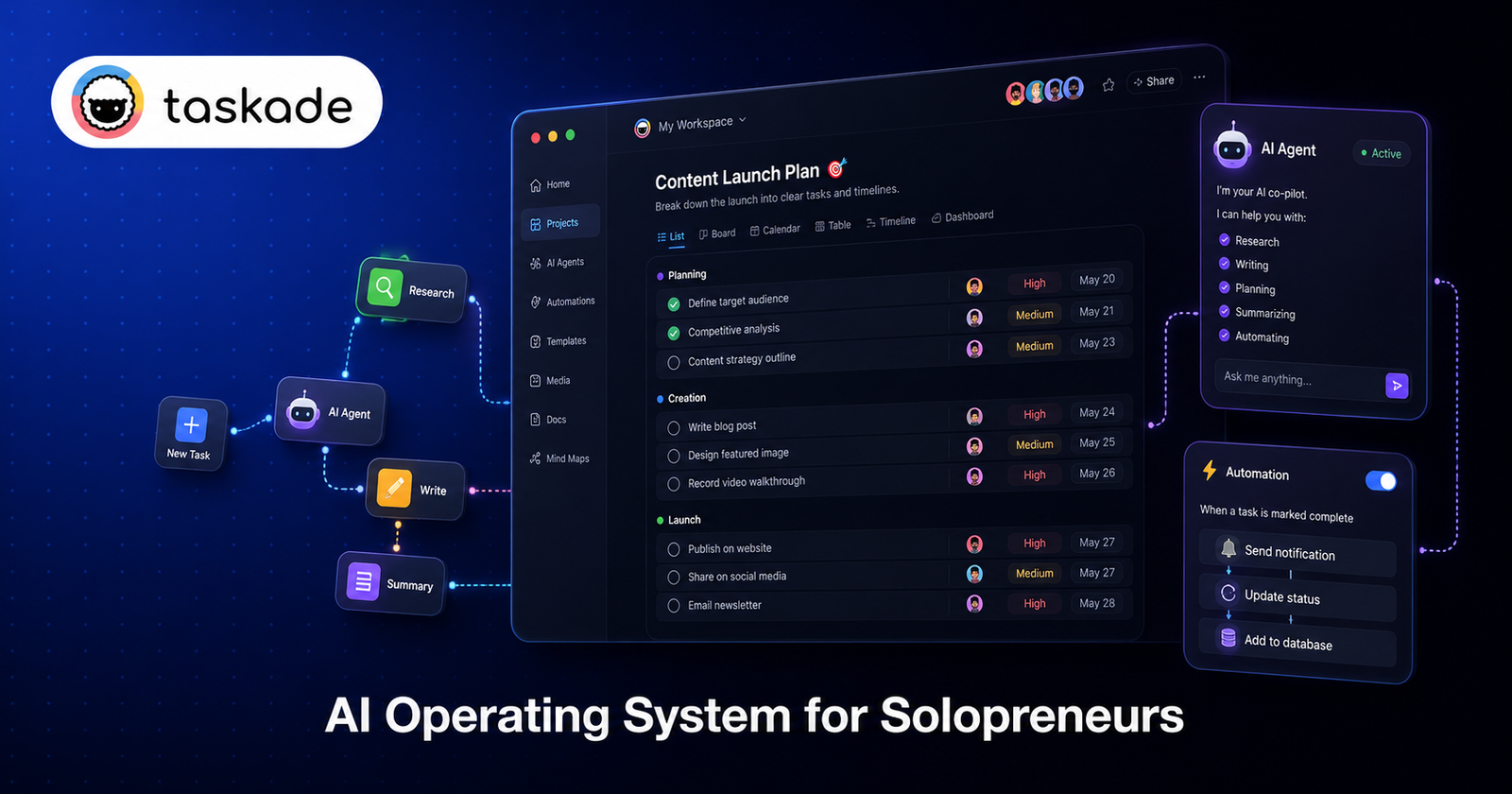
In October 2025, Taskade launched Taskade Genesis: a repositioning of the entire platform as an AI operating system. The shift is substantive, not cosmetic. Genesis introduced:
- AI App Builder (Vibe Coding): generate functional apps — dashboards, CRMs, portals, knowledge bases — from a natural language prompt, without writing code. Per the official page, apps are ready in 2–15 minutes.
- AI Agent Builder: deploy AI agents that operate inside your workspace with 34 built-in tools, access to 15+ frontier models (OpenAI, Anthropic, Google, plus open-weight options), and the ability to execute multi-step tasks autonomously.
- Genesis Kits: 24 pre-built, cloneable AI app workspaces organized into five role-based stacks — Ops, Founder, Marketing, Sales, and Support. Instead of starting from a blank canvas, you clone a working system and adapt it.
- Workspace Memory: agents retain context across sessions, so your workflows accumulate institutional knowledge over time rather than resetting with every prompt.
- 100+ workflow automations and native integrations pre-wired from day one.
The official positioning: “Your workspace is the backend. Your agents are the team. Your automations are the execution.”
Since Genesis launched, Taskade shipped four major releases in five weeks (April–May 2026), adding in-app payments, multi-agent workspace capabilities, and the full 24-kit Genesis drop. The product is moving fast — which is both a signal of momentum and a relevant risk factor covered in the Cons section.
The Scenario: Who Actually Needs This
Picture this: you run a one-person content and consulting operation. Every week you are context-switching between a project manager, a docs tool, a content calendar, an AI chat window, and a Zapier board that half-works. You spend more time managing the stack than executing the work.
That is the exact archetype Taskade Genesis is built for. Not a 10-person team with a dedicated ops manager. Not a developer who wants to build custom software. A solopreneur who needs a system that runs — without hiring, without integrating five tools, and without spending $150/month to do it.
The Genesis Kits matter here because the blank-canvas problem is solved before you log in. You open the Founder or Ops stack, clone a workspace that already structures your workflow, point your AI agent at your own data, and start executing. The entry point is a working system, not an empty interface.
How Taskade Works
The core architecture has three layers:
ajustar 1. Projects (Live Database) Every workspace in Taskade is a structured database. Unlike static documents or flat task lists, Projects in Genesis are dynamic — agents read from them, write to them, and update them as tasks execute. You can view the same project as a list, board, calendar, mind map, or table depending on what the task requires.
2. AI Agents Agents are the operational core of Genesis. Each agent can be assigned a role (content strategist, research analyst, ops coordinator), given access to specific tools (web search, file reading, form submission, API calls), and instructed to execute multi-step workflows autonomously. Agents can be chained — one agent’s output becomes another’s input — enabling genuine multi-agent pipelines without external orchestration tools like n8n or Make.
The 15+ frontier models are accessible per agent, with auto-routing on Business plans and above. On Pro, you select the model manually or let the system default. Lightweight models consume fewer AI credits; frontier reasoning models consume more.
3. Automations handle the recurring execution layer — triggering agents on schedule, routing outputs, updating records — so the system runs without constant manual oversight.
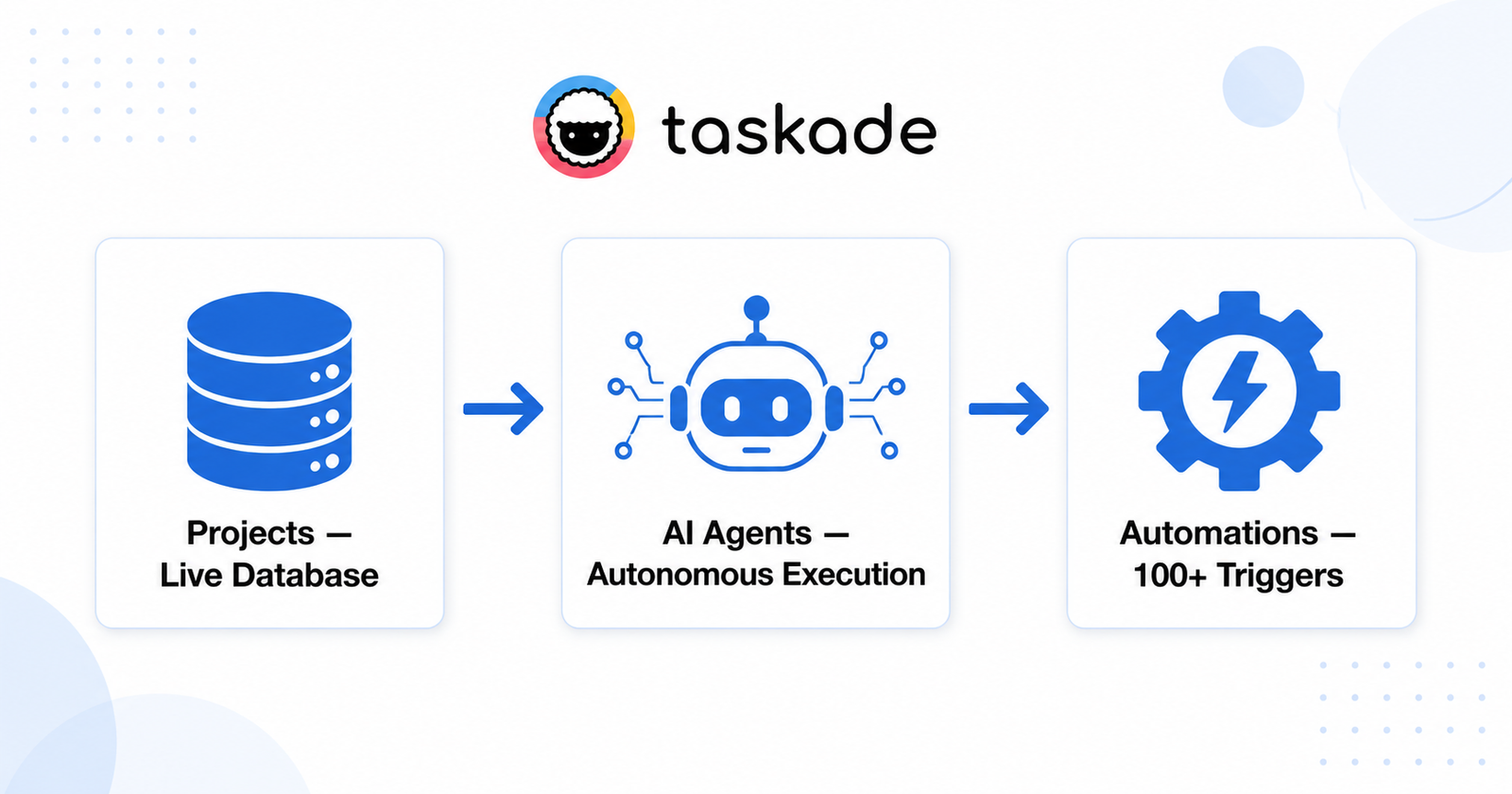
Together, these three layers produce what Taskade calls a “bounded full-stack runtime”: you do not deploy, host, or maintain anything. The workspace is both the interface and the infrastructure.
Who Should Use Taskade
Taskade Genesis is a strong fit if you match most of these:
- Solopreneur or very small team (1–3 people) running projects, content, and ops without dedicated specialists
- Currently using 3+ separate tools (task manager + docs + AI assistant + automation) and paying $80–$150/month combined
- Comfortable with no-code logic — you do not need to write code, but you need to think in systems (inputs → processes → outputs)
- Willing to use AI as an operator, not just a writer — the value unlocks when you delegate workflow execution to agents, not just use chat
- Content creators, consultants, and digital operators who need research, drafting, scheduling, and client delivery to run on a repeatable system
- Budget-conscious builders for whom the Pro plan at $16/month flat (regardless of team size up to the plan limit) represents a meaningful cost advantage over per-seat tools
Who This Is NOT For
This section is as important as the one above.
Skip Taskade if:
- You need deep project management. If your operation relies on advanced Gantt charts, resource allocation, time tracking, or enterprise-level PM workflows, Taskade does not compete with ClickUp, Asana, or Jira at the feature depth level. It covers the fundamentals well; it does not go deep.
- You need deep documentation. Notion’s database and wiki capabilities are more mature and more flexible for teams whose primary use case is knowledge management. Taskade’s docs layer is functional but secondary.
- You are a developer building production software. Taskade Genesis produces living business systems inside a workspace — it is not a code generator. If you need deployable code files or custom infrastructure, tools like Cursor, Bolt, or Replit are the right category.
- You were an AppSumo LTD buyer expecting the original unlimited terms. As of April 2026, multiple verified LTD purchasers report that AI credit access was significantly restricted without adequate notice, and plan tiers were downgraded from original terms. If you bought via LTD, verify your current entitlements before depending on Taskade for critical workflows.
- You primarily work on mobile. Independent analysis of the Taskade mobile app (v6.0.6, April 2026) reports a “Frustrated” user sentiment score (32/100), with primary complaints around forced AI pivot in the UI and interface clutter. The desktop/web experience is substantially better.
- You want a stable, slow-moving tool. Four major releases in five weeks is impressive velocity — it is also a signal that the product you onboard today may look different in 90 days. If stability and predictability matter more than capability, this pace may be a liability.
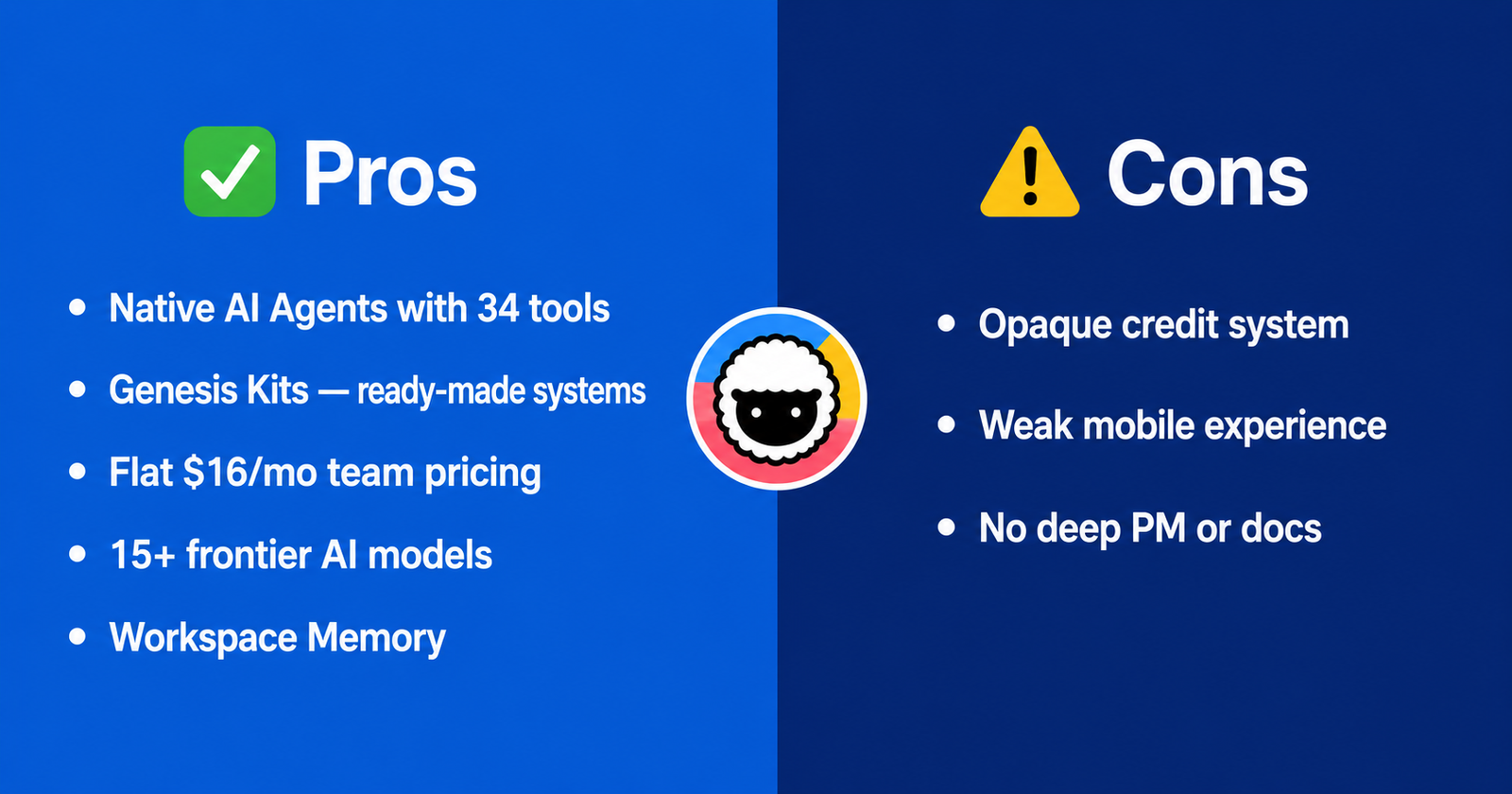
Pros
1. Genuine AI agent capability at an accessible price point At $16/month (Pro, annual), Taskade delivers AI agents with 34 built-in tools and access to frontier models. The nearest comparable standalone agent platforms (Lindy, for instance) start at $49.99/month. For solopreneurs, the cost delta is material.
2. Genesis Kits eliminate the blank-canvas problem 24 pre-built, cloneable workspaces organized by role (Ops, Founder, Marketing, Sales, Support) mean you start with a working system rather than configuring one from scratch. This is a structural advantage over tools that hand you an empty interface.
3. Flat-rate pricing regardless of team size Pro at $16/month is a team price, not a per-seat price. For small teams, the math is unambiguous: a 3-person team on Taskade Pro pays $16/month total. The same team on ClickUp pays ~$70/month; on Notion AI Business, ~$200/month.
4. Multi-model flexibility 15+ frontier models from four providers (OpenAI, Anthropic, Google, open-weight) accessible from a single workspace. You are not locked into one model’s strengths or limitations. As model quality evolves, Taskade’s infrastructure updates without requiring you to change tools.
5. Workspace Memory Agents retain context across sessions. For a solopreneur, this means the system accumulates operational knowledge over time — your content voice, your client preferences, your recurring workflow logic — rather than starting fresh with every prompt.
6. All-in-one surface area at meaningful quality Taskade is not the best PM tool, the best docs tool, or the best AI assistant. But it delivers competent versions of all three in one workspace. For a solopreneur whose alternative is stitching together five tools and a Zapier board, “competent at everything” often beats “excellent at one thing.”
Cons
1. AI credit system is opaque and subject to change Every AI action in Taskade consumes credits. Credit costs vary by model, and the allocation per plan is not straightforwardly documented relative to real-world usage patterns. More critically: Taskade has a documented history of changing credit terms without adequate user communication. AppSumo LTD users in April 2026 reported silent downgrades and credit zeroing. While this affected a specific cohort, it is a signal about how the company navigates plan architecture changes. Factor this into any workflow dependency decision.
2. Mobile experience is notably inferior to desktop Independent app analysis (April 2026) rates the Taskade mobile app at 32/100 user sentiment, with “forced AI pivot” and “UI clutter” as the primary complaints. If a significant portion of your work happens on mobile, this is a real operational limitation — not a minor inconvenience.
3. Depth trade-offs are real Taskade’s own positioning acknowledges this: it is not the most powerful project manager, the deepest documentation platform, or the most sophisticated AI assistant. For a solopreneur whose operation is already specialized — heavy content production requiring Notion-grade databases, or complex client delivery requiring ClickUp-level PM — the breadth advantage erodes quickly when the depth gaps create friction daily.
4. Learning curve for the agent/credit model The mental shift from “task manager” to “AI operating system” is not trivial. New users frequently misunderstand the credit consumption model (different models = different costs per request), the relationship between Projects and Agents, and how Genesis Kits are meant to be adapted rather than used as-is. The onboarding investment is real, even if the ceiling is high once you clear it.
5. Product velocity creates instability risk Four major releases in five weeks (April–May 2026) demonstrates strong development momentum. It also means the product you configure today may change significantly — UI, feature availability, pricing tier access — in the near term. For solopreneurs building critical operational workflows on top of Taskade, this is a dependency risk worth acknowledging.
Pricing & What’s Included
Pricing verified June 1, 2026 via official Taskade pricing page. Verify current terms before purchasing.
| Plan | Price (annual) | Best For |
|---|---|---|
| Free | $0 | Exploring the platform; limited AI credits |
| Starter | ~$6/mo | Individuals needing expanded credits + unlimited apps |
| Pro Best Value | ~$16/mo | Solopreneurs and small teams — unlimited AI agents, frontier models, 50,000 credits/month |
| Business | ~$40/mo | Teams needing 150,000 credits/month + auto-routing to frontier models |
| Max | ~$200/mo | Heavy AI workloads, large teams |
| Enterprise | ~$400/mo | Custom allowance + admin controls |
The Pro plan is the primary recommendation for the solopreneur profile. Unlimited AI agents, 50,000 credits/month, and access to frontier models at $16/month flat covers the core use case described in this review.
Two practical notes:
- Credit packs can be purchased separately without upgrading plans, including on the free tier — useful for burst workloads.
- Auto Top-Up is available to prevent workflow interruption when credits run low. Enable it deliberately; it charges your card automatically.
Taskade vs. Alternatives
| Feature | Taskade Pro | Notion AI Business | ClickUp Business | Lindy |
|---|---|---|---|---|
| Price | $16/mo (team) | $20/seat/mo | $12/seat/mo | $49.99/mo |
| AI Agents | ✅ Native, 34 tools | ⚠️ Limited AI assist | ⚠️ Limited AI assist | ✅ Native |
| Project Management | ✅ Functional | ⚠️ Light | ✅ Deep | ❌ |
| Docs / Knowledge Base | ✅ Functional | ✅ Deep | ⚠️ Light | ❌ |
| Automations | ✅ 100+ native | ⚠️ Limited | ✅ Via integrations | ✅ Native |
| No-Code App Builder | ✅ Genesis | ❌ | ❌ | ❌ |
| Mobile Experience | ⚠️ Weak | ✅ Strong | ✅ Strong | ⚠️ Limited |
| Best For | Solopreneur ops stack | Knowledge management | Team PM | AI agent specialists |
The honest competitive frame: Taskade wins on breadth-per-dollar for solopreneurs who need agents + PM + docs in one place. It loses on depth in any individual category. If your primary need is one of those categories specifically, the specialist tool wins. If you need all three without a $150/month stack, Taskade is the most coherent single answer available in 2026.
vs. Notion: Notion’s database and wiki capabilities are more mature. Taskade’s agent and automation layer is substantially deeper. If content creation and knowledge management are your primary use cases, Notion remains stronger. If operational automation is the priority, Taskade has the edge.
vs. ClickUp: ClickUp goes deeper on project management — resource views, time tracking, dependencies. Taskade goes deeper on AI. For a solopreneur who needs PM as infrastructure (not specialty), Taskade’s level is sufficient and the AI dividend is meaningful.
vs. Lindy: Lindy is a more specialized AI agent platform with arguably more sophisticated agent logic. At $49.99/month starting versus Taskade’s $16/month — and with no native PM or docs layer — the comparison only makes sense for users whose primary need is agent capability specifically and who do not need the broader workspace.
Final Verdict
Taskade Genesis is a serious tool in 2026. The “it’s just a pretty to-do list” take is three years out of date. What Taskade actually delivers — at Pro pricing — is a unified AI operating layer where projects store context, agents execute workflows, and automations handle the recurring operations layer. For a solopreneur running a content, consulting, or digital product operation without a team, this architecture directly addresses the core problem: too many tools, too much manual orchestration, not enough execution.
The cons are real and worth internalizing before you commit. The credit system has a documented history of unilateral change. The mobile experience is genuinely weak. The product’s depth in any single category trails the specialist alternatives. And the pace of development, while impressive, introduces workflow instability risk for anyone building critical systems on top of it.
The recommendation is conditional: if you are a solopreneur currently running 3+ tools for PM, docs, and AI — and your combined bill exceeds $40/month — Taskade Pro at $16/month is worth a serious trial before your next billing cycle. Start with a Genesis Kit in your primary function (Founder or Ops stack), deploy one real workflow, and evaluate the credit consumption against your actual usage patterns before fully committing.
What it is not: a replacement for ClickUp if you need enterprise PM, a replacement for Notion if deep documentation is your core business, or a set-and-forget system. It requires configuration investment upfront. The ceiling is high; the floor requires work to reach.
Frequently Asked Questions
Is Taskade Genesis actually different from the old Taskade, or just a rebrand?
Substantively different. Genesis (launched October 2025) introduced the AI App Builder, native AI agents with 34 built-in tools, Genesis Kits (24 cloneable workspaces), and Workspace Memory. The pre-Genesis product was a collaborative task manager; Genesis repositioned the entire platform as an AI operating system. The underlying workspace layer is the same; the AI capability layer is new.
How far does 50,000 credits/month on the Pro plan actually go for a solopreneur?
It depends heavily on which models you use. Lightweight models cost significantly fewer credits per request than frontier reasoning models (GPT-4o, Claude Sonnet, Gemini Pro). For a solopreneur running daily agent tasks on lightweight-to-mid models, 50,000 credits is generally sufficient. Running heavy frontier-model workflows daily can burn through it faster. Monitor your usage in the first 30 days before enabling Auto Top-Up.
What is the biggest real limitation of Taskade for solopreneurs?
The depth trade-off. Taskade deliberately covers multiple categories at a functional — not expert — level. If your operation has a single specialized requirement (complex PM, deep knowledge management, advanced agent logic), the specialist tool in that category will outperform Taskade in exactly the area that matters most to you. Breadth at low cost is the value proposition; it is not always the right value proposition.
Who should not buy Taskade in 2026?
Primarily: developers needing deployable code output, enterprise PM users requiring Gantt/resource management depth, anyone who depends heavily on mobile workflows, and anyone who was an AppSumo LTD buyer and has not verified their current credit and feature entitlements. Also skip it if product stability matters more to you than capability — four major releases in five weeks is a real pace signal.
Can Taskade replace Zapier or Make for automations?
For solopreneur-scale automation, partially yes. Taskade’s 100+ native automations and agent-to-agent pipelines cover a significant portion of what most solopreneurs use Zapier for within the Taskade ecosystem. For complex multi-tool automations involving external platforms not natively integrated, Zapier or Make remain more capable. Evaluate based on your specific integration stack.
Is the free plan genuinely useful or effectively a demo?
Genuinely useful for evaluation. Free-tier users get a baseline AI credit allocation and can access advanced AI features — Taskade explicitly allows free-tier users to purchase additional credits without upgrading. For sustained operational use, the Pro plan at $16/month is the realistic entry point. Use the free tier to validate one Genesis Kit workflow before committing.
About the Author
Lydia — Salles & Co. Digital
Lydia covers AI tools, digital business infrastructure, and affiliate-optimized content strategy for independent operators and solopreneurs building online businesses. At Salles & Co. Digital, the focus is on tools that change the actual economics of running a one-person operation — not feature lists, but systems that execute.
Some links may be affiliate links, meaning she may earn a commission at no additional cost to you.