Last Updated on September 17, 2026 by Lydia — Salles & Co. Digital
Affiliate Disclosure: This page (Simplified Review) contains affiliate links. If you purchase through our link, we may earn a commission at no additional cost to you. This does not influence our editorial assessment.

TL;DR — Quick Verdict
Simplified delivers a genuinely unified write, design, publish, schedule workflow at a price point that makes the fragmented stack math hard to justify. It is not the best AI writer, the best design tool, or the best scheduler — but it is the only one that connects all four without a second tab. Best for solo operators who need volume over depth.
What Is Simplified?
Simplified is an all-in-one content creation platform that bundles four distinct capabilities into a single workspace: an AI writer, a graphic design editor, a short-form video editor, and a social media scheduler. The product targets solopreneurs, freelance marketers, and small teams that produce social-first content at volume — and need to do it without managing four separate SaaS subscriptions.
The positioning is deliberate. Jasper repositioned upmarket toward enterprise in 2024–2025, now requiring sales demos and annual commitments that put it out of reach for solo operators. Copy.ai followed a similar trajectory. Simplified moved in the opposite direction: consolidate everything at the $20–$24/month range, make it accessible without a sales call, and bet on workflow convenience over raw output quality in any single module.
That bet is the entire thesis of this review. The question is not whether Simplified writes better than ChatGPT or designs better than Canva. The question is whether it closes the workflow loop well enough that a solo operator never needs to open a second tab — and whether the trade-off in depth is worth the gain in cohesion.
This review is part of the AI Online Business 2026 framework — specifically addressing Gear 1 (Create) of the four-gear system for building a lean AI-powered online business.
The Scenario: Four Tabs, One Person, Finite Hours
Picture a familiar setup. You run a content-driven online business solo — a newsletter, a niche site, a coaching offer, a digital product. Your current workflow looks like this:
- ChatGPT or a dedicated AI writer for drafts and captions
- Canva for social graphics, thumbnails, and presentation assets
- Buffer or Later for scheduling across Instagram, LinkedIn, and X
- WordPress or Notion as your CMS and drafting environment
Each tool does its job. The problem is the seams between them. You copy a draft from ChatGPT, paste it into Canva to build a graphic, export the image, open Buffer, re-paste the caption, attach the image, and schedule. For one post. Multiply that by 15 posts a week, add blog drafts, add video clips, and the tab-switching overhead becomes a genuine productivity tax — not a minor inconvenience.
Simplified’s value proposition is that it eliminates those seams. The question this review answers: does it actually?
How Simplified Works: The Four Modules
1. AI Writer
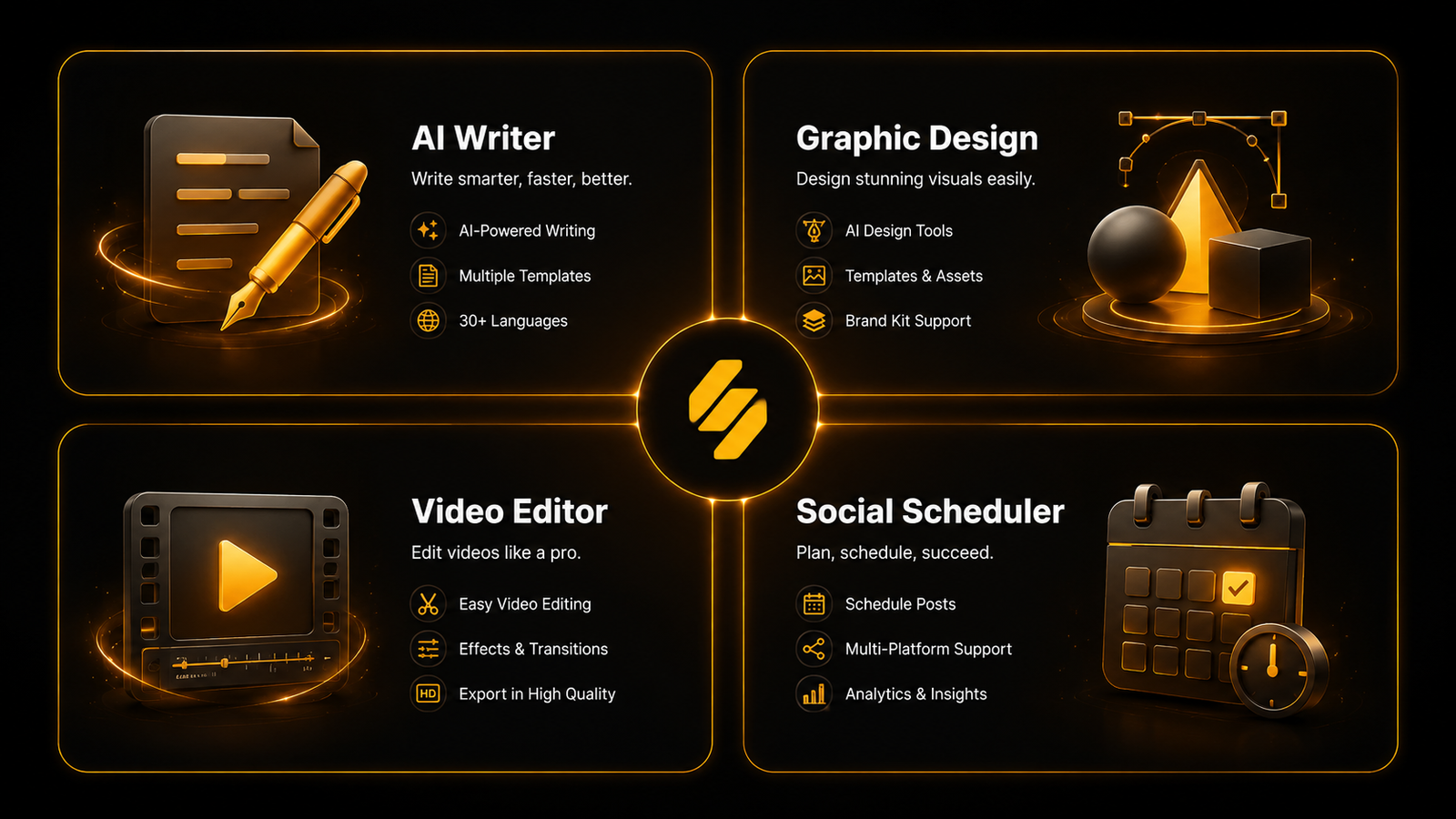
The AI Writer covers 90+ templates across use cases: blog intros, long-form articles, social captions, email sequences, Google Ads copy, product descriptions, and more. The document editor supports long-form drafting with AI assistance inline. Templates cover 30+ languages.
Output quality is solid for first drafts — particularly for social captions, short-form ad copy, and structured marketing content. For long-form SEO articles requiring research depth or nuanced argument structure, the output requires meaningful human editing. This is not a weakness unique to Simplified — it applies broadly to template-driven AI writers — but it is a calibration point for expectations.
One practical note: AI-generated output from Simplified has been flagged by AI content detectors with some regularity, per user reports across G2 and independent testing. For content going directly to a site with AI-content policies, plan for a humanization pass before publishing.
2. Design Editor
The design module operates on a Canva-style drag-and-drop canvas with access to 100,000+ templates segmented by format and platform: Instagram posts, LinkedIn banners, YouTube thumbnails, presentations, email headers. A Brand Kit (1 Brandbook on the One plan) stores your colors, fonts, and logo for consistent output across assets.
The editor covers the 80% use case for social-first content production cleanly. Advanced design work — complex layering, precise vector manipulation, custom illustrations — will expose the gap between Simplified and Canva Pro. For someone producing branded social graphics at volume, that gap rarely surfaces.
3. Video Editor
The video module is built for short-form: clip generation from longer videos, auto-captions, format optimization for TikTok, Instagram Reels, and YouTube Shorts. It is not a full-timeline video editor. Descript and CapCut both offer substantially more control over editing, audio, and post-production workflow.
For the solo creator who needs to repurpose a recorded Loom or talking-head clip into a captioned short, this module delivers. For anyone with more complex video production needs, it will reach its ceiling quickly.
4. Social Media Scheduler
The scheduler supports up to 7 social media accounts on the One plan, covering Instagram, LinkedIn, X (Twitter), Facebook, Pinterest, TikTok, and YouTube. Post scheduling, calendar view, and basic analytics are included. Bulk scheduling is available as a paid add-on.
The critical advantage is the native connection to the other three modules. A graphic designed in the design editor, paired with a caption written in the AI writer, can be pushed to the scheduler without leaving the workspace. That is the workflow promise — and in this module, it is most clearly kept.
Who This Is For

Simplified fits a specific operator profile. If you are building or running a lean AI content workflow — where volume, consistency, and speed matter more than craft-level depth in any single output — this is a strong candidate.
Simplified is a strong fit if you:
- Currently run a fragmented stack (Canva + AI writer + scheduler + CMS) and pay $60–$100+/month across tools
- Produce primarily social-first content: captions, graphics, short videos, email snippets
- Operate solo or in a team of 1–3 with no dedicated designer or editor
- Want brand consistency across assets without managing it manually across apps
- Are comfortable with AI-assisted first drafts that require light editing before publishing
- Value workflow cohesion over best-in-class performance in any single module
Who This Is NOT For
Stop here if this sounds like you. Simplified will underdeliver for your use case.
Do not buy Simplified if you:
- Need deep, research-backed long-form content as your primary output — the AI writer is not built for that depth
- Do serious video production where timeline control, multi-track audio, or post-production precision matter
- Work with client IP or sensitive content where data training ambiguity is a compliance concern — Simplified’s opt-out policy for user-generated content (beyond Google Workspace data) is not explicitly documented
- Are evaluating purely on AI writing quality — GPT-4o via ChatGPT Plus, or Claude via direct API, will outperform Simplified’s writer at comparable or lower cost
- Need enterprise-grade SLAs, SSO, or dedicated support — the One plan does not offer these
- Require a full-featured CMS with SEO tooling — Simplified does not replace WordPress, Webflow, or a dedicated blogging platform
Pros
1. The workflow cohesion is real.
Write, design, schedule from the same interface, without copy-pasting across tabs. For social content production, this alone justifies the subscription for the right operator.
2. Pricing math favors consolidators.
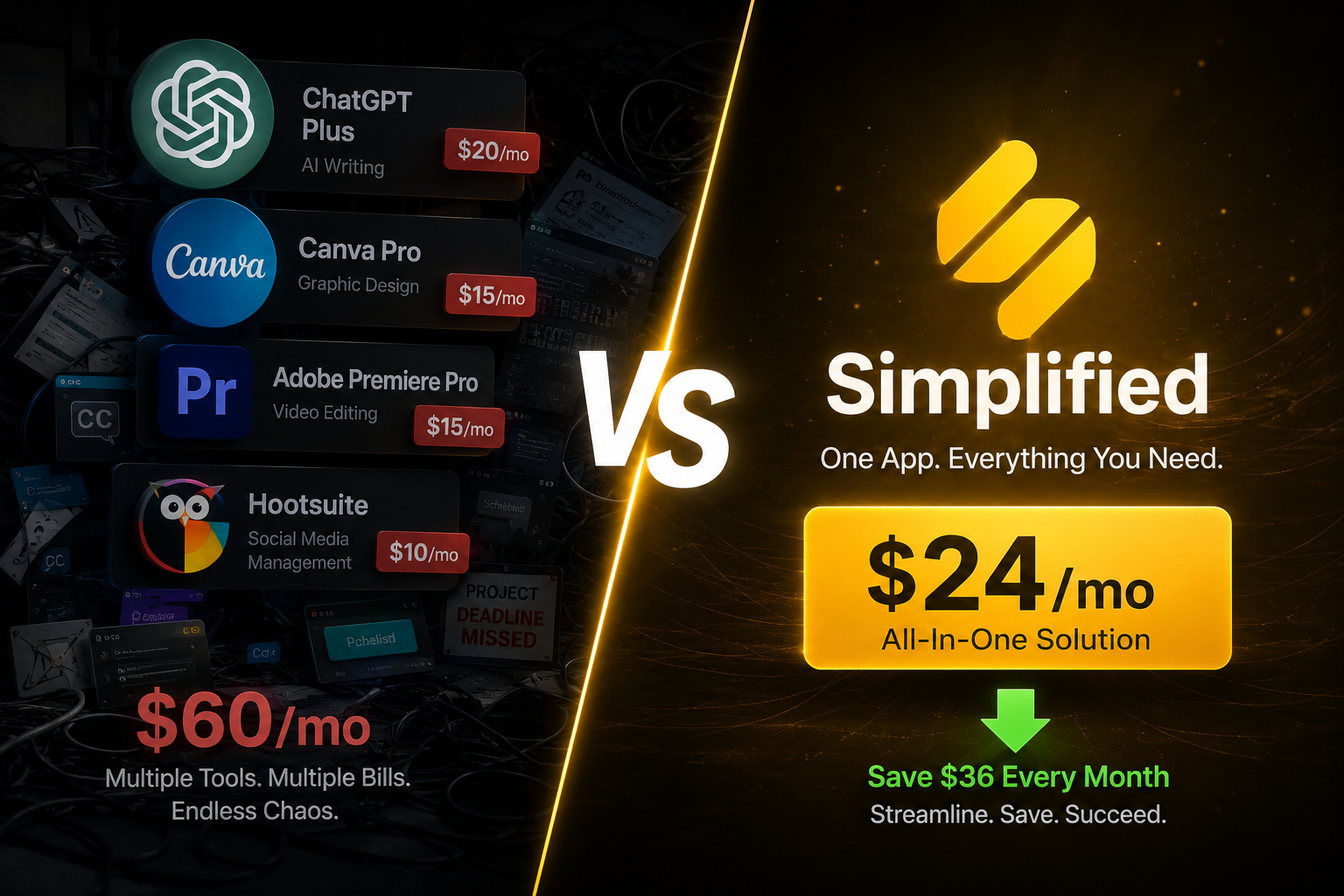
Canva Pro ($15/mo) + Buffer Essentials ($15/mo) + any AI writer ($20–$49/mo) = $50–$79/mo minimum. Simplified One at $24/mo (annual) covers all three with video added. The savings are not marginal.
3. Brand Kit reduces per-asset friction.
Storing colors, fonts, and logos in a shared Brandbook means every asset produced — regardless of module — pulls from the same brand foundation. For a solo operator managing brand consistency without a designer, this is a genuine operational advantage.
4. Free plan is functional for evaluation.
Unlike many freemium tools that gate the core experience behind a paywall, Simplified’s free tier offers access to all four modules with real (if limited) quotas. You can evaluate the workflow before committing.
5. $1 trial reduces commitment risk.
Per the briefing from the Arquiteto, a $1/7-day trial is available — confirm at checkout. This is a low-friction entry point for operators who want to test the workflow on live content before committing to an annual plan.
6. Template depth covers most social formats.
100,000+ design templates across platforms, 90+ AI writing templates, and format-specific video presets mean the setup time from “new account” to “first post scheduled” is measured in minutes, not hours.
Cons
1. Every module has a depth ceiling.
This is the central trade-off and it is not a minor caveat — it is structural. The AI writer is below GPT-4o and Claude for nuanced long-form output. The design editor is below Canva Pro for advanced asset work. The video editor is below Descript and CapCut for production control. If your content operation regularly touches the upper range of any one of these categories, you will feel the ceiling.
2. The credit system generates user friction.
G2 reviews and independent testing consistently flag confusion around how credits are consumed across modules — particularly for AI image generation and video processing. Operators who run high video or image volumes may exhaust credits faster than expected and face unexpected overage decisions mid-workflow.
3. Customer support is a documented weak point.
Pattern across G2 (4.6/5, 5,000+ reviews) and Capterra (4.7/5) shows praise for the product and frustration with support responsiveness. No SLA is published for the One plan. For a solo operator whose entire content workflow runs through one tool, support latency during an outage or billing issue is a real operational risk.
4. AI output requires a humanization pass.
Output from the AI writer is flagged by AI content detectors with regularity. For a content operation where AI-content policies are a concern (sponsored content, guest posts, certain ad platforms), this adds an editing step that partially offsets the workflow efficiency gain.
5. Data training opt-out is ambiguous.
Simplified explicitly states it does not use Google Workspace API data for AI training. The broader policy on user-generated content created within the platform is less explicit. For creators working with proprietary frameworks, client IP, or sensitive brand voice, this ambiguity warrants review before committing.
Pricing and What’s Included
Simplified runs a “one plan covers everything” model — no separate tier for the AI writer, another for design, another for the scheduler. You pay once and get all four modules.
The One plan is $24/month on annual billing — which is the way to enter if you’ve already decided the tool solves your problem. Monthly billing exists but costs more; check the current rate at checkout since pricing has shown variation by region and promotional cycle.
There’s a functional free forever plan — not the kind that locks everything behind a paywall. You can actually test all four modules before putting a card down. The constraint is volume: 5,000 AI words, 5 designs, 1 video. Enough to feel whether the workflow clicks for you, not enough for a real operation.
For those who want to test at real volume before committing to a year, there are reports of a $1 trial for 7 days — confirm availability directly at checkout, as it may vary.
What comes with the One plan:
Think of it as the monthly capacity for a solo operation running at a steady pace. 100,000 AI words covers far more than most solo creators will use on captions, emails, and blog drafts in a month. The 100 designs support a healthy visual posting cadence. The 50 videos and 200 minutes of clip processing are the ceiling you’ll hit first if you use the video module heavily — daily Reels producers will feel that limit before the end of the month.
7 connected social accounts covers the standard setup for someone running Instagram + LinkedIn + X + Facebook without needing an upgrade. 1 Brandbook is enough for a solo brand; if you manage more than one brand in the same workspace, that becomes a paid add-on.
The math that matters for this review’s persona:
If you’re currently paying Canva Pro ($15) + Buffer Essentials ($15) + any AI writer ($20+), you’re already at $50/month minimum — not counting CapCut if you’re on the Pro plan. Simplified One at $24/month isn’t just cheaper: it’s one tab open instead of four. For social-first volume, that consolidation has value beyond the price.
Simplified vs. The Fragmented Stack
This is the comparison that actually matters for the persona this review serves. Not Simplified vs. Jasper. Not Simplified vs. Canva. Simplified vs. the stack you are already running.
The honest summary: if your content operation regularly pushes the limits of any single module — if you write 3,000-word SEO articles daily, edit complex video, or produce print-quality design assets — the fragmented stack wins on depth and the cost difference does not compensate. If you produce social-first content at volume and tab-switching is the real bottleneck, Simplified’s consolidation math is compelling.
See how Simplified fits a complete AI content workflow
Final Verdict
Simplified does what it promises for a specific operator profile — and falls short for everyone outside it. The write, design, publish, schedule loop is genuinely connected. The Brand Kit reduces per-asset friction. The pricing undercuts the fragmented stack by $25–$35/month. For a solo operator running social-first content at volume, this is a coherent, low-friction system that closes the workflow loop.
The limitations are equally real and equally structural. Every module has a depth ceiling. The AI writer requires editing before publishing. Support responsiveness is a documented gap. The credit system needs active management.
The verdict: Simplified earns its place in the stack for the operator who needs breadth over depth — who is currently paying more, switching more tabs, and producing less because the seams between tools cost more time than acknowledged. For that profile, the $24/month is not a compromise — it is the correct architecture.
For the operator who needs depth in any single module — long-form SEO writing, advanced video production, enterprise design systems — the fragmented stack remains the right answer despite its overhead.
Simplified is currently listed as a Top Pick candidate in our Best AI Tools for Online Business 2026 roundup.
FAQ
About the Author
Lydia — Salles & Co. Digital
Lydia covers AI tools and digital business infrastructure for independent operators and content creators building lean, scalable online businesses. Her focus is on workflow systems — evaluating whether tools deliver on their integration promise in real operating conditions, not just feature sheets.
Some links may be affiliate links, meaning she may earn a commission at no additional cost to you.