Last Updated on September 17, 2026 by Lydia — Salles & Co. Digital
Disclosure: This article contains affiliate links. If you click through and make a purchase, Lydia may earn a commission at no additional cost to you.

If you’ve ever tried to make sense of your business data, you know how this usually goes. The information is all there, spread across different platforms, but turning it into something useful takes real effort. You end up jumping between tools, exporting reports, building dashboards, and still asking yourself what any of it actually means for the decisions you need to make.
Databox AI Analyst, known as Genie, was built around that exact frustration. Instead of digging through spreadsheets and charts, you simply ask a question in plain language and get an answer back almost immediately.
This article walks through what Genie actually is, how it works in practice, and where it tends to make the biggest difference for teams who rely on data every day.
What Is Databox AI Analyst (Genie)?
Genie is an AI-powered assistant built directly into the Databox analytics platform. It connects to your existing data sources and lets you interact with that data using everyday language, rather than filters, dashboards, or export files.
In practice, that means you can type something like “What were my top-performing marketing channels last month?” or “How did revenue change this quarter?” and get a direct answer, without having to build a report first to find out.
The Problem With Traditional Reporting
Most businesses still handle reporting roughly the same way they did years ago. Data gets exported from three or four different tools, pieced together into a spreadsheet, turned into a chart, and then read through manually before anyone shares it with the rest of the team.
None of these steps is particularly difficult on its own, but together they consume time that could go toward actually acting on what the data shows. In fast-moving environments like marketing or SaaS, where campaign performance can shift within days, a report that took three hours to put together is often half outdated by the time it reaches someone’s inbox.
How Genie Works (Step-by-Step)
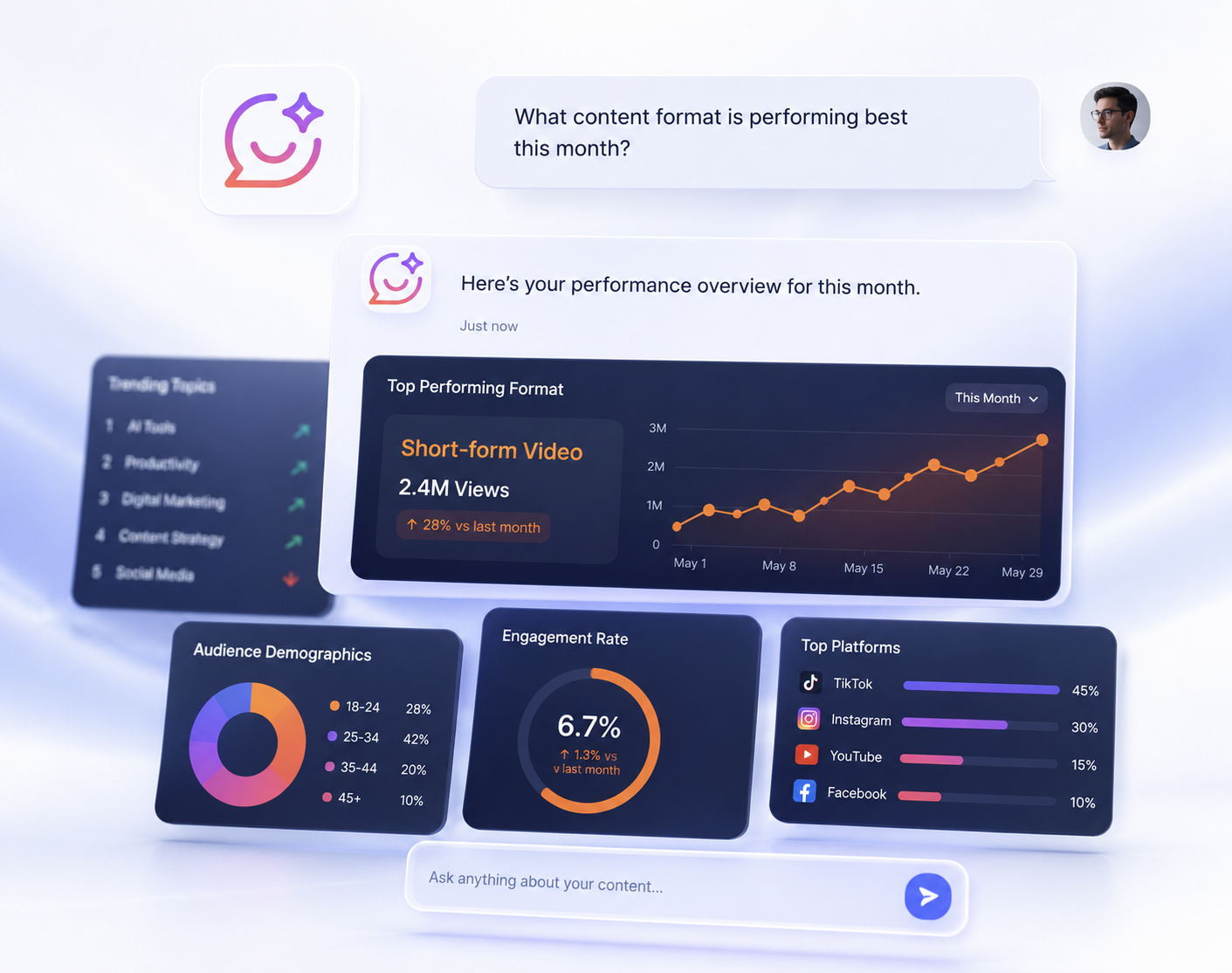
What makes Genie stand out is how little friction there is between having a question and getting an answer.
First, you connect your data sources. Databox integrates with tools like Google Analytics, HubSpot, Facebook Ads, and Stripe, among many others, so most teams can plug in what they’re already using without extra setup.
From there, instead of navigating dashboards to find what you’re looking for, you simply type your question the way you’d ask a colleague. Genie analyzes the connected data and returns a clear answer, often paired with context or trends that explain the “why” behind the numbers.
Say you’re running campaigns across Google Ads and Facebook and want to know which one is actually paying off. Rather than pulling reports from both platforms and comparing them manually, you could just ask which campaign generated the highest ROI last month — and get the answer in seconds.
Example: Identifying Why Conversions Dropped
Here’s a scenario that plays out often. You’re running several campaigns at once, and one week you notice conversions have dropped without an obvious reason.
Instead of checking each platform separately to piece together what happened, you can ask Genie directly why conversions dropped over the past seven days. It analyzes what changed across your connected sources and points to the likely cause — maybe traffic from Facebook Ads slowed down, or a specific landing page started converting worse than usual.
That distinction matters more than it might seem. Genie doesn’t just surface numbers; it helps connect them to what actually changed, which is usually the part that takes the most time to figure out manually.
Real Use Cases

Marketing Teams
Marketing teams use Genie to cut through the noise of multiple platforms and get straight to what’s working and what isn’t, without switching between five different tabs to piece the picture together.
For example, a marketing manager running campaigns across Google Ads, Meta, and email might ask Genie: “Which channel drove the most qualified leads this month, and what’s the cost per lead by channel?” Genie pulls the numbers directly and returns a ranked comparison, often flagging that one channel is quietly outperforming the others on cost-efficiency despite lower total volume. That answer typically leads to an immediate reallocation of budget toward the higher-performing channel before the next reporting cycle, rather than waiting for a manual analysis to confirm the same thing weeks later.
Agencies
Agencies juggling several client accounts often spend a disproportionate amount of time just preparing reports. Genie shortens that process considerably, making it easier to spot trends and flag issues ahead of client meetings rather than during them.
Founders and Executives
Leadership rarely wants to sit inside a dashboard. Genie fits that reality well, giving founders and executives a way to ask about revenue, growth, or performance and get a straightforward answer without needing someone else to pull the numbers first.
Key Features of Databox AI Analyst
Ask questions using natural language
Get instant insights from your data
Create dashboards and metrics with simple prompts
Receive explanations for performance changes
Together, these features lower the barrier to working with data, even for people without a technical background. That said, they represent the AI-driven side of the experience specifically — the broader picture, including dashboards, integrations, and pricing tiers, is covered in the complete product review.
Pros and Cons
Pros
Fast access to insights
Easy to use, even without technical knowledge
Reduces time spent on reporting
Helps teams make faster decisions
Cons
Requires proper data integration to work well
Results depend heavily on the quality of the underlying data
May not replace highly advanced or custom analysis
Who Should Use Databox AI Analyst?
Genie tends to work best for marketing teams tracking campaign performance, agencies managing several client accounts at once, SaaS companies keeping an eye on growth metrics, and founders who need quick answers without digging through reports themselves.
Teams that depend heavily on custom, non-standard data workflows may find that Genie covers part of what they need, but not all of it.
Why This Matters for Modern Teams
The real challenge most businesses face isn’t a lack of data — it’s the gap between having it and actually understanding what to do with it. Dashboards pile up, reports get generated, and metrics multiply, but turning all of that into a clear decision still takes time most teams don’t have.
Genie addresses that gap directly by making the analysis step itself accessible. Instead of routing every question through an analyst or a reporting process, anyone on the team can ask what they need to know and get a usable answer right away, which frees up time to actually act on it.
Genie represents the AI-analysis layer of a larger platform. For the fuller picture — pricing, dashboard building, integrations, and how Databox compares to other tools in the space — the full Databox review goes into exactly that.
What Makes Genie Different
What sets Genie apart isn’t just how fast it responds, but how little it demands from the person using it. Most analytics tools still require some setup and a working knowledge of how to interpret what they show. Genie sidesteps that almost entirely — you ask, and the answer comes back in a form that’s already easy to act on.
For teams without a dedicated analyst, or those who’d rather not build out a formal reporting process, that difference tends to show up quickly in how decisions actually get made day to day.

Final Verdict: Is Databox AI Analyst Worth It?
Genie tackles a problem most teams deal with constantly: having plenty of data but not enough time to turn it into something useful. Instead of spending hours assembling reports, you ask a direct question and get a direct answer.
For teams looking for a faster, more accessible way to work with their data, it holds up well as a solution worth testing.
If your evaluation goes beyond this one feature — and you’re weighing pricing, dashboard capabilities, or how Databox compares to other platforms — the complete Databox review is the better next step before deciding.
Frequently Asked Questions
Q: Does Genie replace the need for a dedicated data analyst?
A: For most everyday questions, it does the job on its own. For highly custom or advanced statistical work, teams may still need specialized support.
Q: What data sources does Genie work with?
A: It connects to tools like Google Analytics, HubSpot, Facebook Ads, and Stripe, among others. How useful the answers are depends largely on how well those integrations are set up.
Q: Is Databox AI Analyst a good fit for teams with messy or incomplete data?
A: Not really — Genie’s answers reflect the quality of the connected data, so teams with inconsistent tracking should clean that up first before expecting reliable insights.
Q: Who shouldn’t rely on Genie alone?
A: Teams working with heavily customized data workflows or non-standard metrics may find its natural-language approach too general for what they actually need.
Q: Is Genie a standalone product or part of Databox?
A: It’s a feature built into the Databox platform, not something sold separately. Evaluating the whole product — dashboards, pricing, integrations — means looking at Databox as a whole, not just this feature.
About the Author
Lydia — Salles & Co. Digital
Lydia covers digital products, AI-powered tools, and premium platforms for marketing teams and online businesses, with a focus on practical use cases over hype.
Some links may be affiliate links, meaning she may earn a commission at no additional cost to you.