Last Updated on July 3, 2026 by Lydia — Salles & Co. Digital

Quick Answer: An AI content workflow is a four-station assembly line — ideation, scripting, production, publishing — not a single magic prompt. You build it by assigning AI to drafting and variation, keeping a human on voice and facts, and connecting each stage so nothing gets stuck or shipped unchecked.
This is for creators and small operators who need to produce content at volume without a team — and who keep hitting the wall where AI helps with one task but the whole pipeline still stalls. By the end, you’ll know how to build the line end to end, where to keep your hands on the wheel, and how to turn one piece into several formats without the output going flat. This is the first gear — creating — in the wider AI online business system.
What an AI Content Workflow Actually Is (and What It Isn’t)
An AI content workflow is the repeatable path a single idea travels from “I should make something about X” to “it’s live.” In practice, this means four stations:
- Ideation — finding angles and validating demand
- Scripting — turning an angle into a structured draft
- Production — converting the draft into the final format (text, video, audio)
- Publishing — formatting, scheduling, and distributing
What it isn’t: a single prompt that “writes a whole blog post.” A prompt is one tool at one station. The workflow is the line that moves the work between stations without you rebuilding the process every time. The trade-off here is upfront setup — you spend a few hours defining the line so you stop improvising daily.
A workflow you can’t repeat next week isn’t a workflow. It’s a one-off you got lucky with.
How to Build an AI Content Workflow Step by Step
Build it station by station. Don’t automate anything until the manual version works.
1. Ideation. Use AI to expand a seed topic into angles, then filter against real demand (search intent, audience questions, comments). The step most people skip is the filter — AI will happily generate 30 angles, and 25 are noise.
2. Scripting. Feed the chosen angle a structured prompt: audience, intent, format, and your brand voice notes. Ask for an outline first, approve it, then draft. Drafting before approving the structure is where rewrites pile up.
3. Production. For text, an AI copy tool like Creaitor.ai handles long-form drafting and variations. For video, a tool like Syllaby turns a script into a talking-head or faceless video. Pick the tool to match the output, not the hype.
4. Publishing. Format for the platform, add the human layer (a real opening line, a real example), and schedule. If you want this stage hands-off, that lives in AI automation for your online business — but automate publishing only after the first three stations are stable.
Mini-scenario: A solo creator runs a weekly post. Monday: AI expands one topic into five angles, she picks one. Tuesday: outline approved, draft generated, she edits for voice. Wednesday: it ships. Same line, every week.
When to Keep a Human in the Loop (and When You Can Let AI Run)
The decision isn’t “AI or human” — it’s which station gets human attention.
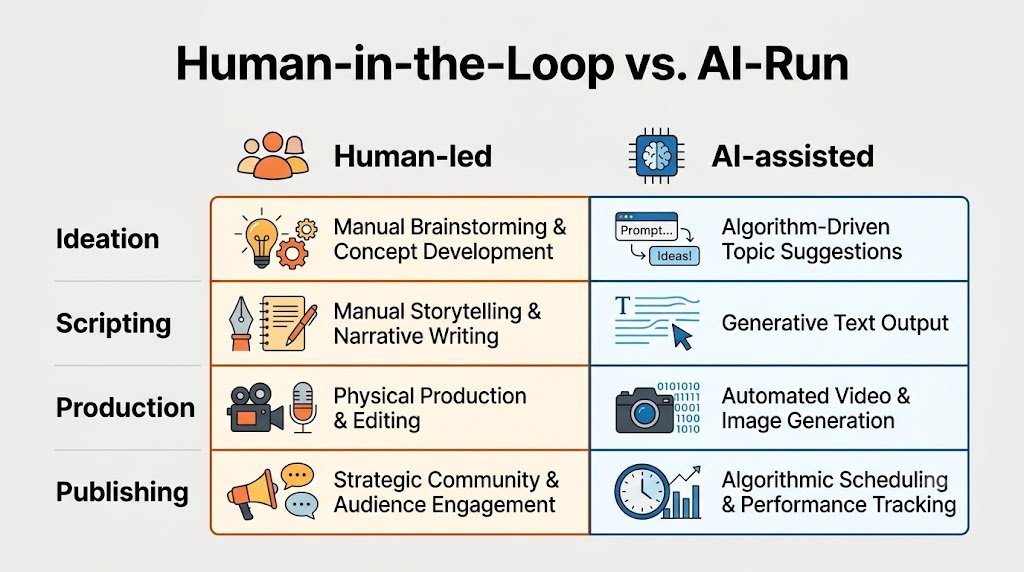
- Keep a human in: brand voice, factual claims, anything with a number or a name, the opening and the call to action. This works when accuracy and tone affect trust — which is almost always.
- Let AI run: first-draft generation, format variations, reformatting for length, alt-text and metadata drafts. This breaks when you let it run on facts — AI states wrong things confidently.
If you’re publishing claims, data, or anything attributed to a source, a human checks it. No exceptions on facts.
How to Turn One Piece of Content Into Multiple Formats
One finished piece should feed several outputs — this is where AI earns its keep without generating from scratch each time.
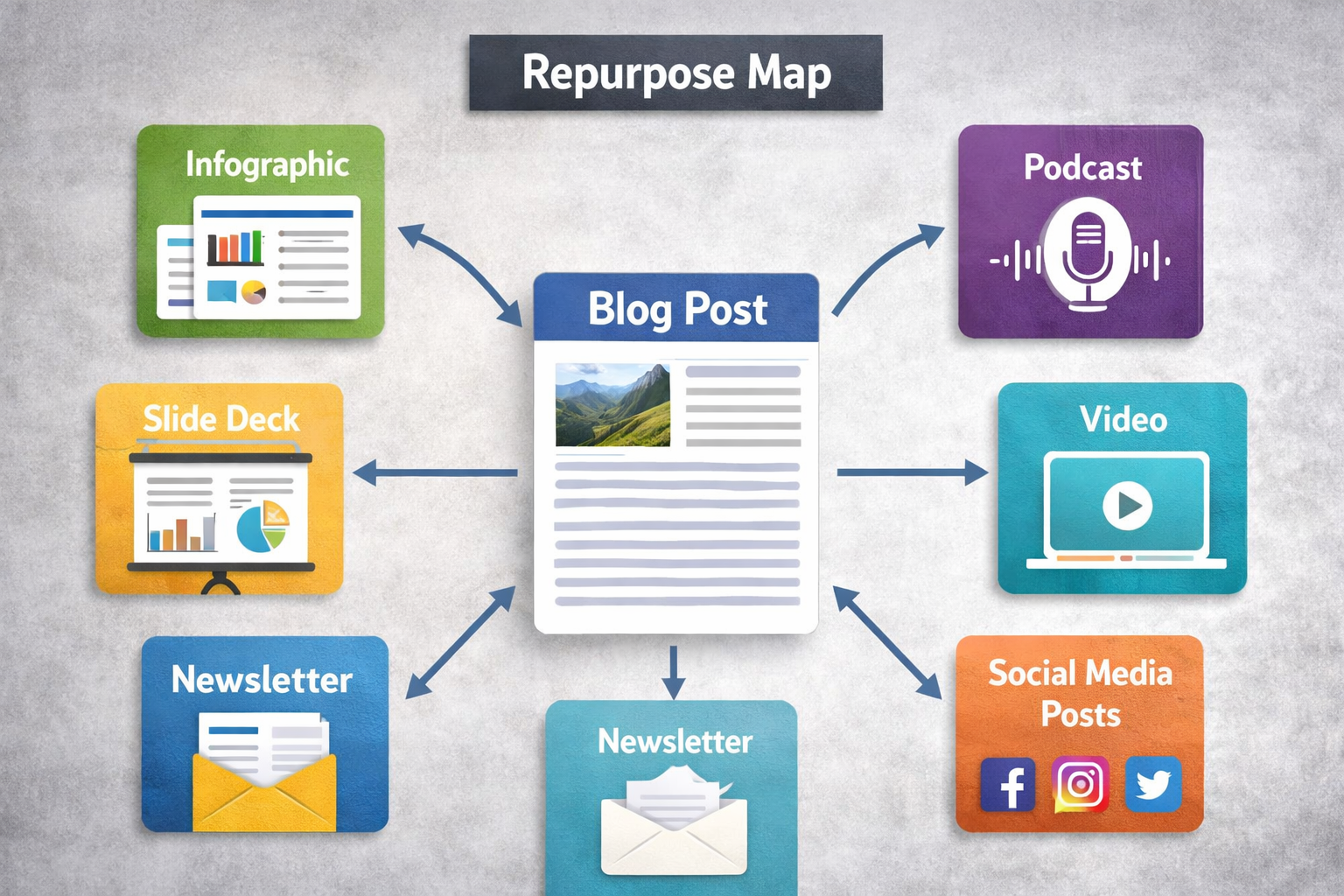
Start from the strongest asset (usually a long-form post or a video script). Then:
- Long-form → short clips: pull 3–5 standalone points, each a short-form script.
- Post → newsletter: compress the argument, add one personal line AI can’t fake.
- Video script → blog post: transcribe, restructure into headings, tighten.
- Any piece → social hooks: generate 5–10 opening lines, keep the 2 that sound like you.
In practice, this means writing once and adapting many times — not regenerating the same idea four times from zero. The common mistake is treating each format as a fresh generation: the message drifts and the voice gets inconsistent. Anchor every variant to the original asset.
What to Avoid When Building an AI Content Workflow
The line fails in predictable spots. Watch these before you scale volume.
- Publishing on autopilot without review — speed without a check ships errors faster.
- Building the whole line on one tool — one outage or price change breaks everything.
- Ignoring brand voice — readers feel “AI-generic” before they can name it.
- Skipping the demand filter at ideation — high output, low relevance.
Common Pitfalls
“Automate everything from day one.” Automating publishing before the manual line is stable just industrializes your mistakes. Stabilize each station first, then remove yourself from the ones that are safe.
“One tool does it all.” Single-tool dependence is a single point of failure. When the tool changes pricing, limits output, or goes down, your whole pipeline stops. Keep at least a backup path for your highest-volume station.
“AI handles the facts.” Language models generate plausible text, not verified text — they produce confident false statements (a documented failure mode often called hallucination). Any claim, stat, or name gets a human check before publishing.
“Skip the brand voice step to save time.” Generic output reads as generic and erodes trust. The voice layer is a human edit pass, not an optional extra — it’s the cheapest differentiator you have.
Get the AI Revenue Playbook
Want the full build-out — the station-by-station checklist, the prompts that hold brand voice, and the review gates that keep facts clean? Grab the AI Revenue Playbook, a free checklist you can run alongside your own workflow.
Download the AI Revenue Playbook
Keep Building Your System
- Start here: The AI online business system — how creating fits the bigger picture
- Next gear — convert: Build an AI sales funnel
- Next gear — automate: AI automation for your online business
- Next gear — measure: AI analytics for content
- Want to compare all the tools? Best AI tools for an online business
Summary — Key Takeaways
- An AI content workflow is a four-station line (ideation → scripting → production → publishing), not a single prompt.
- Build it manually first; automate only stations that are already stable.
- Keep humans on voice, facts, and CTAs; let AI run drafting and variations.
- Match tools to outputs — copy tools for text, video tools for video — not to hype.
- Turn one strong asset into many formats by adapting, not regenerating from scratch.
- The four reliable failure points: autopilot publishing, single-tool dependence, ignored brand voice, and skipping the demand filter.
FAQ
How do I start an AI content workflow with no team?
Map the four stations on paper, run one piece through manually using AI at each step, then repeat it weekly before automating anything.
When should I automate publishing in my workflow?
Only after ideation, scripting, and production run reliably and your review gate for facts and voice is consistent.
Should I use one AI tool or several?
Several, matched to outputs. One-tool setups create a single point of failure if pricing, limits, or uptime change.
How do I keep brand voice with AI-generated content?
Add a human edit pass on the opening, examples, and CTA, and feed the tool explicit voice notes at the scripting stage.
Can AI repurpose one post into other formats reliably?
Yes, if you anchor every variant to the original asset instead of regenerating the idea — that keeps the message and voice consistent.
About the Author
Lydia — Salles & Co. Digital. Lydia builds and documents AI-assisted content systems for solo creators and small online businesses, focused on workflows that ship consistently rather than one-off prompt tricks. She writes the create stage of the Next Level Learning Hub editorial system.
More about Lydia →