
If you’ve ever tried to analyze your business data, you already know the problem.
The data is there—but getting clear answers from it takes time.
You jump between tools, export reports, build dashboards, and still end up asking: “What does this actually mean?”
That’s where tools like Databox AI Analyst (Genie) come in.
Instead of manually digging through reports, Genie lets you ask simple questions about your data—and get clear answers in seconds.
In this article, you’ll see exactly what Genie is, how it works, and how teams are using it to make faster decisions.
Try Databox AI Analyst (Genie) for free and see how it works in practice.
What Is Databox AI Analyst (Genie)?
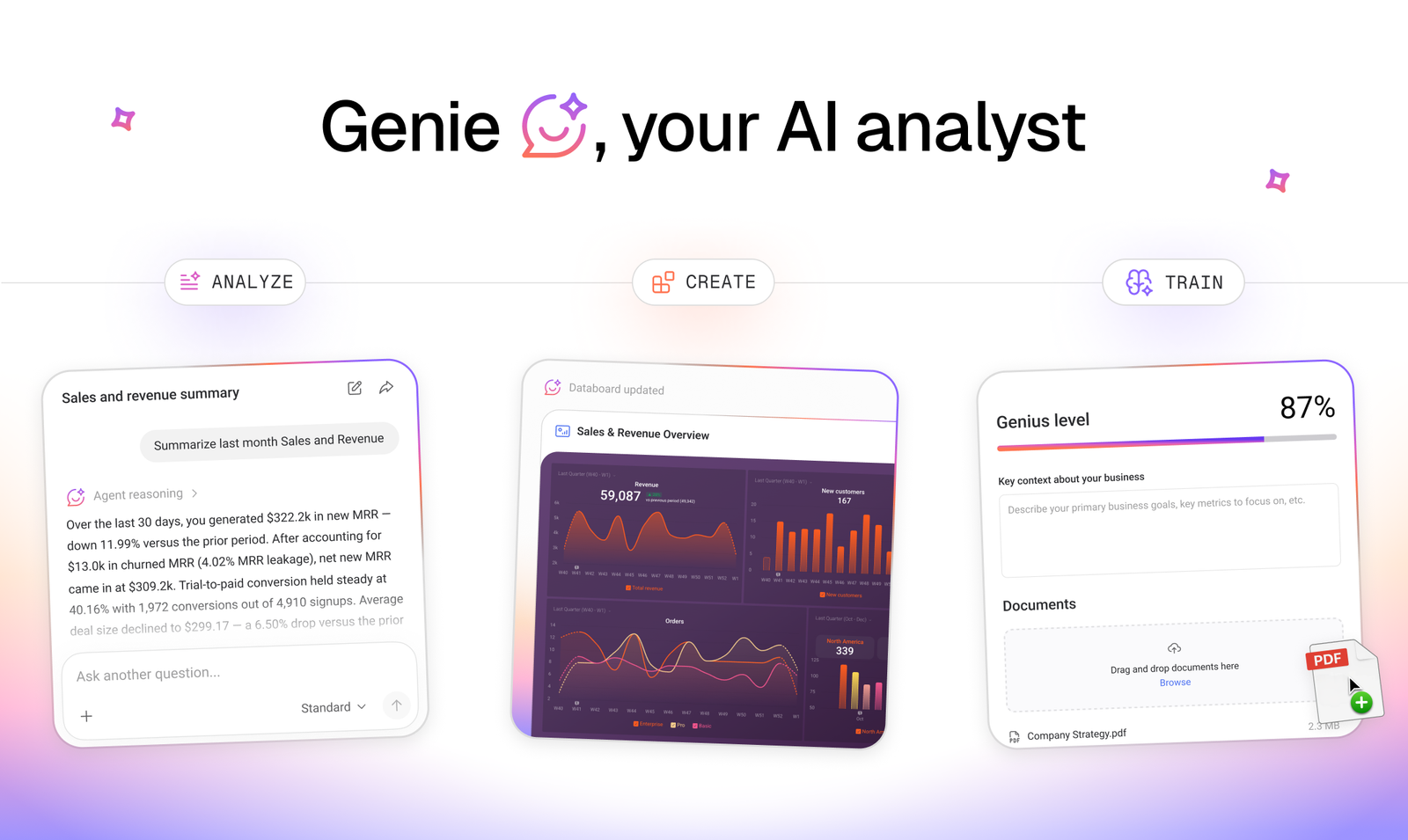
Databox AI Analyst, also called Genie, is an AI-powered assistant built into the Databox analytics platform.
It connects to your business data and allows you to interact with it using natural language.
In practice, this means you can ask questions like:
- “What were my top-performing marketing channels last month?”
- “How did revenue change this quarter?”
- “Which campaigns generated the most leads?”
- “What trends should I be paying attention to?”
Instead of manually going through dashboards or spreadsheets, Genie analyzes your data and gives you a clear answer almost instantly.
The Problem With Traditional Reporting
Most businesses still follow a process that looks something like this:
- Export data from multiple tools
- Combine everything into spreadsheets
- Build dashboards or charts
- Analyze results manually
- Share reports with the team
This approach works—but it’s slow.
And more importantly, it often leads to a situation where teams spend more time preparing data than actually using it to make decisions.
That’s a big problem, especially in fast-moving environments like marketing or SaaS.
How Genie Works (Step-by-Step)
One of the main advantages of Databox AI Analyst is how simple it is to use.
Here’s what the process looks like:
1. Connect your data sources
Databox integrates with tools like Google Analytics, HubSpot, Facebook Ads, Stripe, and many others.
2. Ask a question
Instead of navigating dashboards, you just type a question in plain language.
3. Get instant insights
Genie analyzes your data and returns a clear answer, often including trends or explanations.
For example, imagine you’re running campaigns on Google Ads and Facebook.
Instead of manually comparing performance across platforms, you could ask:
“Which campaign generated the highest ROI last month?”
Within seconds, Genie gives you a clear answer—without spreadsheets, exports, or manual analysis.
Example: Identifying Why Conversions Dropped
Let’s look at a practical scenario.
Imagine you’re running multiple marketing campaigns and suddenly notice that your conversions dropped over the past week.
Instead of manually checking each platform, you could ask Genie:
“Why did conversions drop in the last 7 days?”
Genie would analyze your connected data and highlight what changed.
For example, it might show that traffic from Facebook Ads decreased, or that a specific landing page started converting at a lower rate.
Instead of guessing, you immediately understand the cause.
From there, you can take action—such as adjusting your budget, fixing the landing page, or reallocating spend to better-performing channels.
This is where Genie becomes especially valuable: it doesn’t just show data, it helps you understand what changed and what to do next.
Real Use Cases
Marketing Teams
Marketing teams can quickly understand what’s working and what’s not.
Instead of checking multiple tools, they can ask direct questions about performance, channels, and conversions—and get immediate answers.
Agencies
Agencies managing multiple clients often spend hours preparing reports.
With Genie, it becomes much easier to quickly identify trends, spot issues, and prepare insights before client meetings.
Founders and Executives
Leaders don’t want to dig through dashboards—they want answers.
Genie makes it possible to ask simple questions about revenue, growth, and performance and get immediate clarity.
Key Features of Databox AI Analyst
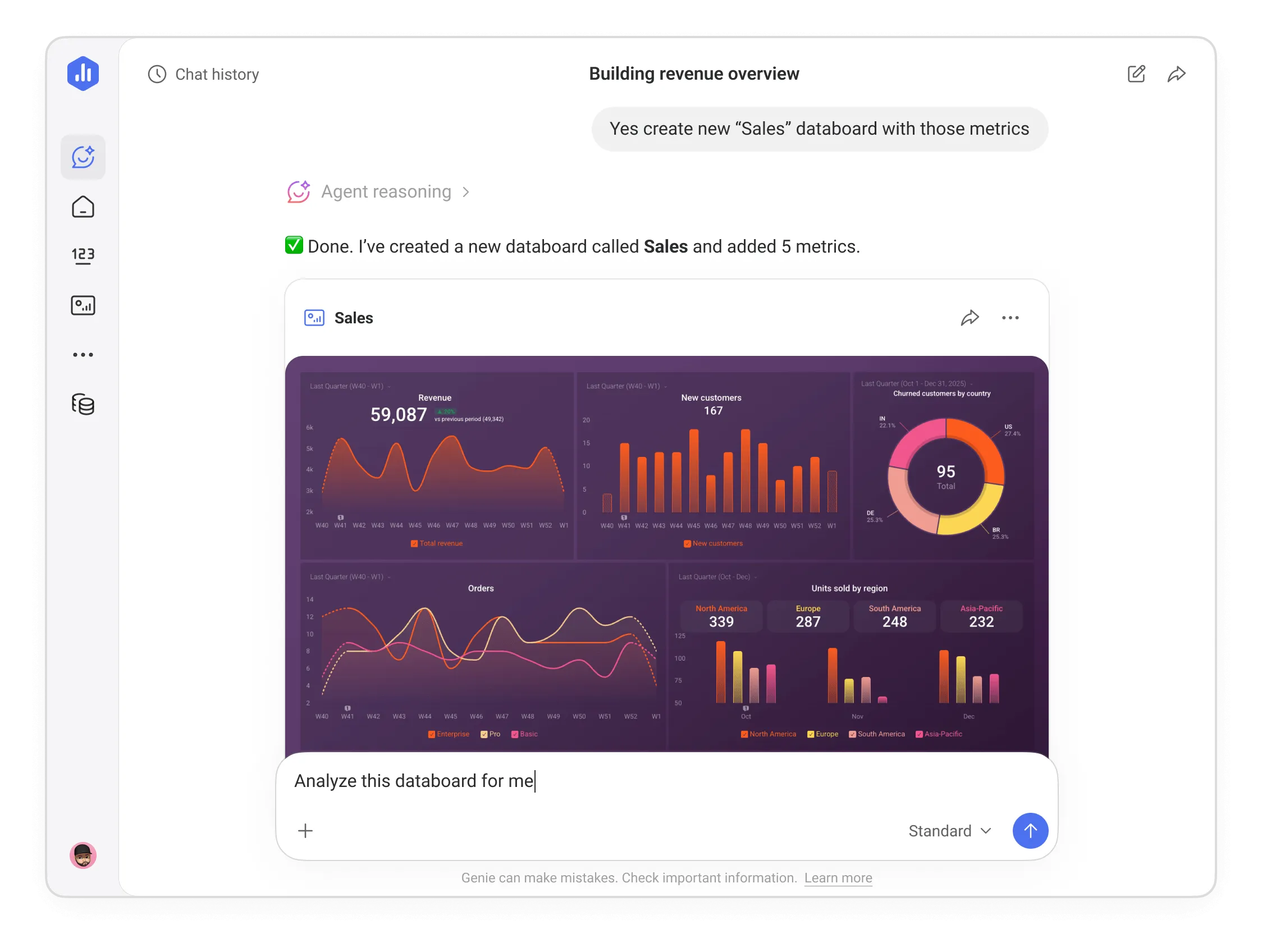
- Ask questions using natural language
- Get instant insights from your data
- Create dashboards and metrics with simple prompts
- Receive explanations for performance changes
These features make data analysis more accessible—even for non-technical users.
Pros and Cons
Pros
- Fast access to insights
- Easy to use, even without technical knowledge
- Reduces time spent on reporting
- Helps teams make faster decisions
Cons
- Requires proper data integration
- Results depend on the quality of your data
- May not replace highly advanced or custom analysis
Who Should Use Databox AI Analyst?
Databox AI Analyst is especially useful for:
- Marketing teams analyzing campaigns
- Agencies managing multiple clients
- SaaS companies tracking performance
- Founders who need quick, reliable insights
On the other hand, teams that rely heavily on highly customized data workflows may still need additional tools.
Why This Matters for Modern Teams
One of the biggest challenges businesses face today is not collecting data—it’s making sense of it.
Teams are overwhelmed with dashboards, reports, and metrics, but still struggle to turn that information into clear decisions.
This creates delays, missed opportunities, and inefficient workflows.
Tools like Databox AI Analyst help solve this problem by making data more accessible.
Instead of relying on analysts or complex reporting processes, anyone on the team can ask questions and get meaningful insights instantly.
This shift allows teams to spend less time preparing reports and more time acting on data.
While Genie focuses on AI-powered insights, it’s just one part of the Databox platform.
If you want to understand how Databox works as a complete analytics solution, including its full feature set and use cases, you can read the full review here.
What Makes Genie Different
What stands out about Genie is not just speed, but accessibility.
Most analytics tools still require time, setup, and a certain level of expertise to interpret data correctly.
Genie changes that dynamic.
Instead of building reports or navigating complex dashboards, you can simply ask questions and get answers that are easy to understand and act on.
For teams that don’t have dedicated analysts—or don’t want to rely on complicated reporting workflows—this can make a significant difference in how decisions are made.
This is something that would normally take hours of manual analysis, but Genie delivers it in seconds.
Final Verdict: Is Databox AI Analyst Worth It?
Databox AI Analyst (Genie) focuses on solving a very real problem: turning data into clear, actionable insights—without the usual complexity.
Instead of spending hours building reports, you can simply ask questions and get answers in seconds.
For teams that want faster, simpler, and more accessible analytics, Genie is a strong solution worth exploring.
Try Databox AI Analyst and get instant insights from your data.
About the Author
Lydia (Salles & Co. Digital) is a Strategic Affiliate focused on international digital products, AI tools, premium programs, and high-level business opportunities. She analyzes platforms, launches, and ecosystems from a practical, results-driven perspective before recommending them.
Some links may be affiliate links, meaning she may earn a commission at no additional cost to you.